Quick answer: Link management software is the system of record for every short link your organization creates. A real link management platform gives you four things a URL shortener does not: ownership of the domain your links live on, control over where a link points after you publish it, analytics that survive cookie blocking, and permissions so a team can share links without sharing one login. If you are managing more than a few hundred links, or more than one person touches them, you have outgrown a shortener.
Key takeaways
- A URL shortener creates links. A link management platform governs them: who made them, where they point today, what happened when people clicked, and what happens when the destination changes.
- The single most important criterion is domain ownership. If your links live on someone else's domain, you cannot move them, and the vendor holds your traffic hostage.
- "SEO link management" usually means backlink management, which is a completely different category. Sort out which one you are shopping for before you evaluate anything.
- Expect to pay somewhere between $10 and $50 per month for a capable platform at small-team scale. Above $200 per month you are usually paying for enterprise procurement, not enterprise features.
- The migration risk is real but bounded. Old links keep working on the old vendor. The plan is to redirect what matters and stop creating new links on the platform you are leaving.
What link management software actually does
Most people arrive at this category because a URL shortener stopped being enough. That moment usually looks like one of these:
- Someone published a link with the wrong destination and there is no way to fix it without reprinting the asset.
- A campaign wrapped and nobody can say which of the 40 links drove signups, because half of them were made in someone's personal account.
- Finance asks why there are three different link tools on the corporate card.
- A link from two years ago is 404ing and nobody knows what it was supposed to point to.
Those are not shortening problems. They are management problems. Shortening is the easy part, and it has been a commodity for fifteen years.
A link management platform handles the lifecycle around the link:
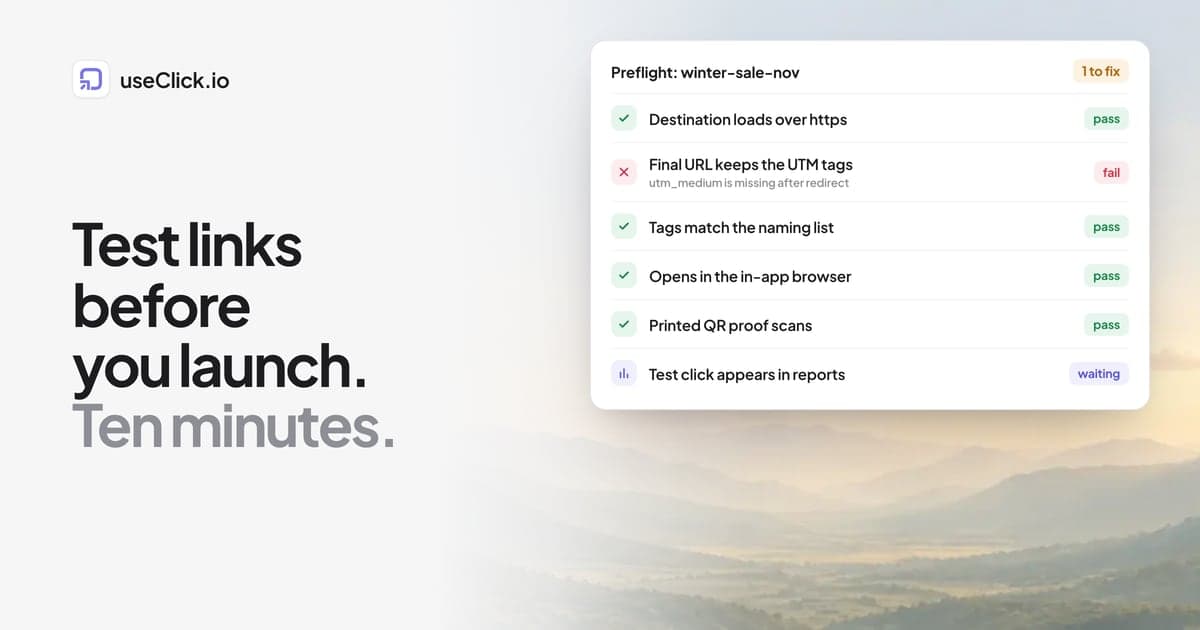
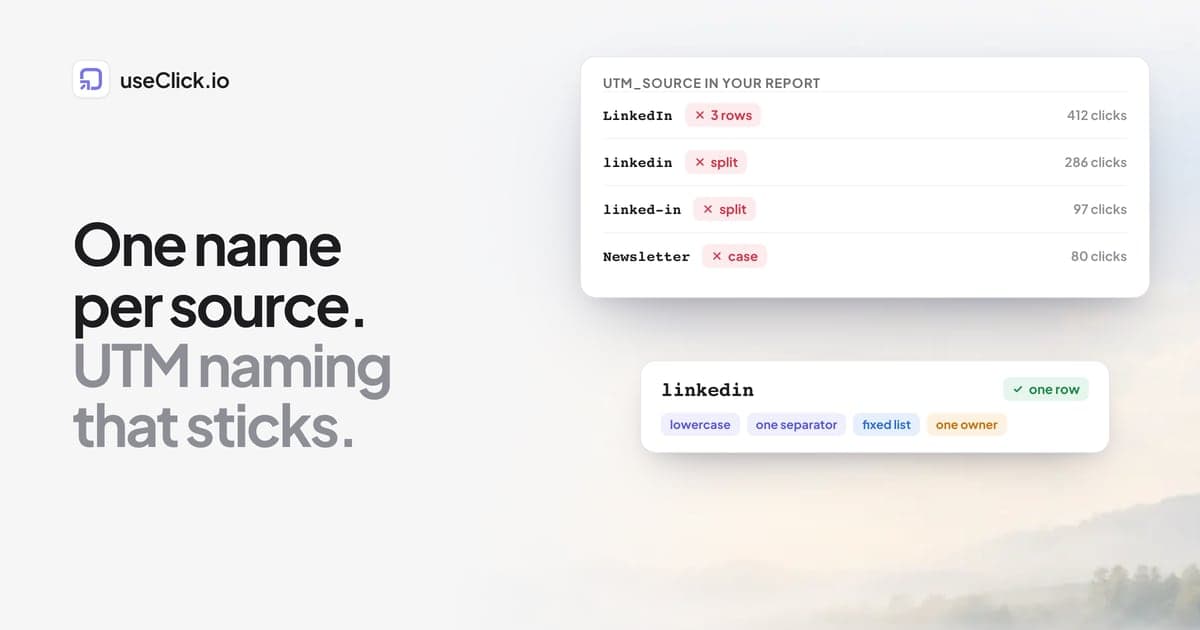
Creation with structure. Links get a naming convention, a campaign, an owner, and consistent UTM parameters applied at creation rather than pasted in by hand. Our guide on naming conventions that scale past 10,000 links covers the operational side of this in depth.
Mutable destinations. The short link is the stable public address. The destination behind it is a setting you can change. This is the feature that makes printed QR codes, podcast vanity URLs, and bio links safe to publish, because the URL on the poster never has to change even when the landing page does.
Attribution that outlives the click. Click data, referrer, country, device, and whether the visitor was new or returning, retained long enough to answer a question in the next quarterly review rather than the next 30 days.
Governance. Roles, shared workspaces, and an audit trail. One person leaving should not orphan 800 links.
Programmatic access. An API, so link creation can happen inside the systems that already generate the campaigns. If you are creating links by hand for anything recurring, see how to automate link creation with a shortener API.
Link management vs. SEO link management
These two phrases get searched interchangeably and mean opposite things. Sorting this out first will save you an evaluation cycle.
| Link management (this article) | SEO link management | |
|---|---|---|
| What it manages | Outbound short links you create and publish | Inbound backlinks other sites point at you |
| Core job | Redirect control, click attribution, branding | Prospecting, outreach, anchor text, disavows |
| Typical buyer | Marketing ops, growth, affiliate, agency delivery | SEO team, link building agency |
| Typical tools | useClick, Bitly, Rebrandly, Dub, Short.io | Ahrefs, Semrush, Majestic, BuzzStream |
| Metric that matters | Clicks, unique visitors, conversion by source | Referring domains, authority, traffic value |
There is one genuine overlap: redirect hygiene. Short links that 301 properly pass authority correctly and do not create link rot, and a link management platform is where you fix a broken destination before it costs you anything. That is covered in how to fix broken links and stop link rot. Beyond that, if you came here looking for backlink tooling, this is the wrong category and no amount of feature comparison will help.
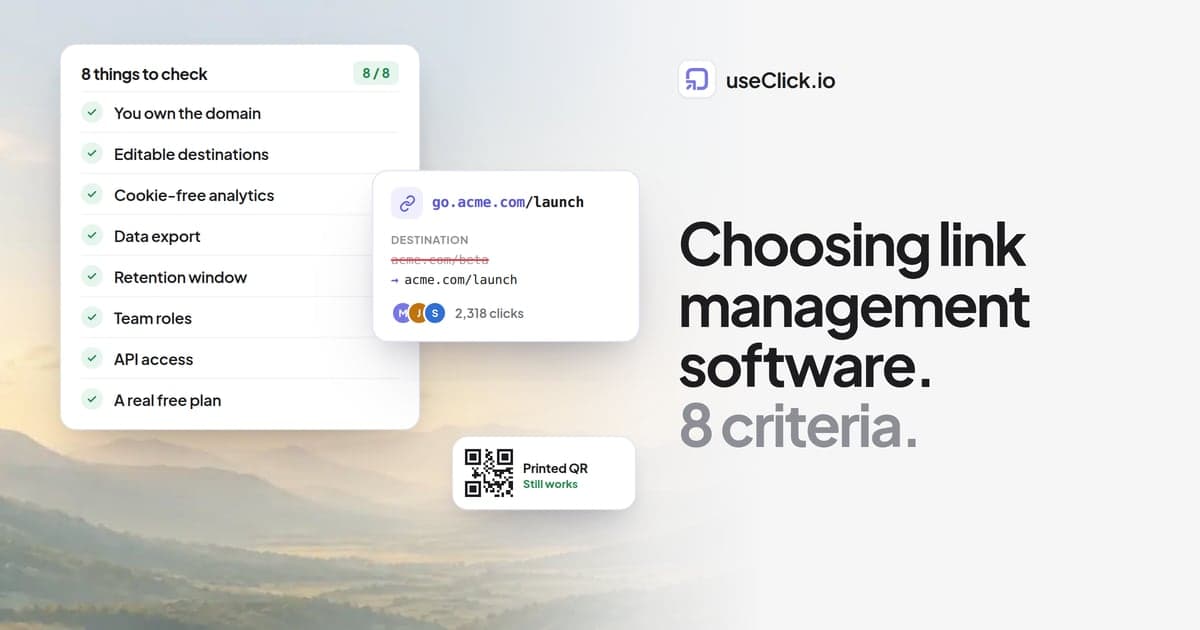
The eight criteria that actually separate platforms
Feature grids on vendor sites are close to useless because everyone lists the same twenty checkboxes. These eight are the ones that change the decision.
1. Do you own the domain?
This is the only criterion that is genuinely irreversible. Links published on vendor.link/abc belong to the vendor. If pricing changes, if the product gets acquired, if the free tier starts showing interstitials, your published links are the leverage they hold over you.
Links on go.yourcompany.com belong to you. You point the CNAME somewhere else and every existing link keeps working. Check that custom domains are available on the plan you intend to buy, not just the top tier. Some vendors gate this behind enterprise pricing specifically because it is the thing that makes you portable. Custom domains should be table stakes.
2. Can you change the destination after publishing?
Verify this works on links that have already received clicks, and verify the click history survives the edit. Some tools technically allow editing but reset analytics, which defeats the purpose for anything long-lived like a QR code on packaging.
3. Does the analytics work without cookies?
Ad blockers and browser tracking prevention drop a meaningful share of client-side analytics before it ever fires. Server-side click tracking happens during the redirect itself, so it records the click regardless of what the browser is blocking. It also means no consent banner is required for basic click counting in most jurisdictions, which matters if you operate in the EU. We covered the reasoning in why you don't need cookies to track clicks and the compliance specifics in the GDPR and CCPA link tracking guide.
4. Where does the data live, and can you get it out?
Two separate questions. Ask where click data is stored and processed, because for regulated industries and most European buyers this is a procurement blocker rather than a preference. Then ask how you export it. CSV export and API read access should both exist. A platform that makes it hard to leave is telling you something. Data export is not a premium feature.
5. Retention window
Most vendors quietly cap analytics history on lower tiers, sometimes at 30 or 90 days. That is fine for social campaigns and useless for anything with a long tail, like podcast attribution or print. Find the actual number before you buy, not after your first annual review.
6. Team model and permissions
If more than one person creates links, you need shared workspaces with roles rather than a shared password. Check how team seats are priced, because per-seat pricing on a tool that ten people touch occasionally gets expensive faster than the feature warrants. Look for a plan with a member allowance included.
7. API and automation
Rate limits matter more than the existence of an API. A documented limit of a few hundred requests per minute is enough for bulk campaign generation. An undocumented limit means you will discover it during a launch. Also check whether bulk upload exists as a UI feature, since not every workflow justifies writing code.
Increasingly worth checking: whether the platform exposes an MCP server, so AI assistants can create links and pull analytics directly. This is going from novelty to expectation quickly.
8. What happens on the free plan
Free tiers are the best available signal about a vendor's intentions. If free links carry interstitial ad pages, that behavior can be applied retroactively to links you already published, which has happened before in this market. Read what the free plan does to the click experience, even if you intend to pay.
What you should expect to pay
Pricing in this category is bimodal. There is a cluster of tools between roughly $10 and $50 per month that cover everything most teams need, and a jump to $200 and up where you are largely paying for procurement, SSO, and a sales relationship.
Realistic budgeting by situation:
| Situation | Sensible spend | What you need |
|---|---|---|
| Solo creator, one bio link, a few campaigns | $0 to $12/mo | Custom domain, click analytics, QR codes |
| Small team, regular campaigns, one brand | $12 to $30/mo | Above plus campaigns, UTM builder, CSV export, geo rules |
| Growth team running tests at volume | $30 to $60/mo | Above plus A/B testing, bulk upload, higher click ceilings |
| Agency or multi-brand, several people | $50 to $200/mo | Above plus team seats, multiple domains, higher API limits |
For reference, useClick pricing runs $12/month for Starter, $29 for Growth, $49 for Pro with five team seats, and $199 for Business. Custom domains, analytics, QR codes, the UTM builder, and API access are included on every plan including the free one. A/B testing starts at Growth, and team management at Pro.
The number worth sanity-checking against your own usage is the monthly click ceiling, not the link count. Most teams create far fewer links than they expect and receive far more clicks than they expect.
Build versus buy
Writing a redirect service is a weekend project. Operating one is not.
The weekend project handles the 301. What comes after is bot filtering so your analytics are not 40% crawler traffic, unique visitor identification without cookies, geographic lookup, SSL certificate provisioning and renewal for every custom domain a client adds, edge deployment so redirects are fast globally, and an uptime story for infrastructure that now sits in front of every link in your marketing.
Build if link routing is your product. Buy if it is your plumbing. The failure mode of a homegrown shortener is not that it breaks on day one, it is that it becomes an unowned service two engineers understand, three years after they left.
Migration checklist
Switching costs less than people assume, because you do not have to move everything.
- Export what you have. Pull the full link list with destinations and click counts from the current vendor while you still have access.
- Triage by traffic. Sort by clicks. In most accounts a small fraction of links carry nearly all the traffic. Those are the only ones that need real attention.
- Set up your domain first. Add the custom domain and verify SSL before creating a single link. If you have never had your own link domain, this is also the moment you gain portability for every future migration.
- Recreate the high-traffic links on the new domain with matching slugs where possible, so anything you control can be updated with a find and replace.
- Leave the old links alive. Do not delete anything at the old vendor. Keep the account on its cheapest tier for as long as old links still receive clicks. Deleted short links become 404s in every place they were ever published, including places you have forgotten about.
- Stop creating new links on the old system. This is the actual switch. Everything else is cleanup that can happen over months.
- Run both for one reporting cycle so you can confirm the numbers reconcile before you rely on the new dashboard.
If you are specifically evaluating against incumbents, we maintain detailed comparisons for Bitly, Rebrandly, TinyURL, Short.io, and Dub, plus a ranked overview of the best Bitly alternatives.
Frequently asked questions
What is a link management platform?
A link management platform is software that creates, organizes, and tracks short links across an organization. Beyond shortening a URL, it lets you publish links on your own domain, change a link's destination after it has been shared, measure clicks with attribution data like country and referrer, and control which team members can create or edit links.
What is the difference between a URL shortener and link management software?
A URL shortener turns a long URL into a short one. Link management software adds everything around that: your own branded domain, editable destinations, retained click analytics, campaign organization, team permissions, and API access. Shorteners are single-use utilities. Link management platforms are systems of record.
Do I need link management software if I only have a few links?
Probably not, unless one of those links is printed, embedded in a QR code, or placed somewhere you cannot easily edit. The moment a link is published where you cannot change it, you need control over the destination, and that is the point where a platform earns its cost regardless of link count.
Is link management the same as SEO link management?
No. Link management covers the outbound short links you create. SEO link management covers the inbound backlinks other websites point at you, and is served by tools like Ahrefs and Semrush. The only real overlap is making sure your redirects are clean 301s so they do not leak authority.
How much does link management software cost?
Capable platforms for small and mid-sized teams run roughly $10 to $50 per month. Enterprise tiers start around $200 per month and typically add SSO, procurement support, and higher volume ceilings rather than fundamentally different features. Free tiers exist but often restrict custom domains or insert interstitial pages before the destination.
Can I use my own domain for short links?
Yes, on any platform worth buying. You add a subdomain such as go.yourcompany.com, point a CNAME record at the provider, and the platform provisions an SSL certificate. This is the single most important feature to secure, because it is what lets you move providers later without breaking published links.
The decision in one paragraph
Pick the platform that lets you keep your domain, change your destinations, export your data, and add your team without a sales call. Those four things are what you are actually buying. Everything else on the feature grid is either commodity or a preference you can live without. If a vendor makes any of the four difficult, that difficulty is the product strategy, and it will not get easier after you have 5,000 links published.
Ready to see what this looks like in practice? Explore useClick's link management features or start free with your own custom domain included.