Geo-targeting allows you to customize the user experience based on geographic location, ensuring that your audience receives the most relevant content for their region. With UseClick's geo-link targeting, you can direct users to location-specific landing pages, offers, or content.
Whether you're running international affiliate campaigns, promoting location-specific events, or offering regionally-differentiated products, geo-link targeting helps you maximize engagement and conversion rates by delivering personalized experiences.
This comprehensive guide covers everything you need to know about setting up and optimizing geo-targeted links with UseClick.
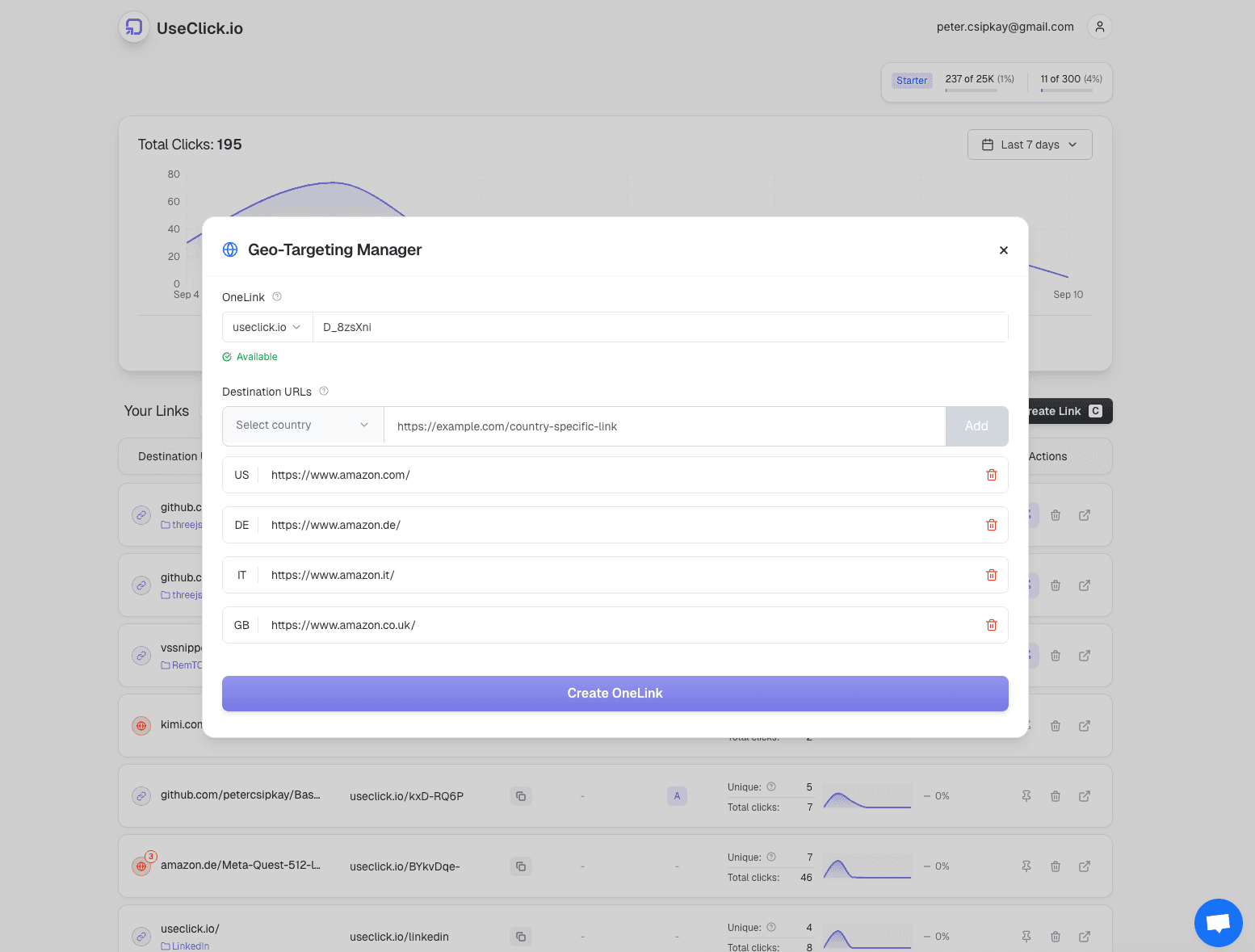
Geo Targeting Interface
UseClick's intuitive interface makes creating geo-targeted links simple and efficient:

Configure location-specific destinations with a clean, visual interface that shows your targeting coverage.
Setting Up Geo Targeting
Creating effective geo-targeted links with UseClick is straightforward. Here's how to set up location-based routing:
1. Create Your OneLink
UseClick allows you to target users at various geographic levels:
- Countries - Target entire nations for international affiliate campaigns
- Regions/States - Focus on specific states or provinces for localized promotions
- Cities - Target major metropolitan areas for hyper-local campaigns
- Custom Areas - Define custom geographic boundaries for specialized targeting
2. Configure Destination URLs
Set different destination URLs for each geographic target:
Affiliate Marketing
- • Country-specific affiliate offers
- • Localized product recommendations
- • Region-specific discount codes
- • Language-targeted landing pages
Event Targeting
- • Location-specific events
- • Time zone appropriate scheduling
- • Local partner information
- • Regional promotions
3. Set Default and Fallback Options
Ensure all users have a relevant experience, even if their location isn't specifically targeted:
Default Destination
Where to send users whose location isn't specifically targeted
Typically a global or general landing page with universal offers
Fallback Strategies
Handle edge cases and location detection issues
- • Users with disabled location services
- • VPN users with ambiguous locations
- • New locations not yet in your targeting setup
Targeting Precision and Accuracy
UseClick's geo-targeting system provides industry-leading accuracy for reliable location-based routing, perfect for maximizing affiliate conversions.
IP Geolocation Technology
Advanced Detection Methods
Multiple data sources ensure accurate location detection
- • IP address analysis with 99.5%+ accuracy
- • ISP and network provider data
- • Mobile network location services
- • Regular database updates for accuracy
Location Granularity Options
Choose the right level of precision for your affiliate campaigns
Geo Targeting Use Cases
Discover how different organizations leverage geo-link targeting for various marketing and business needs:
Affiliate Marketing Networks
Maximize affiliate commissions with location-specific offers:
E-commerce and Retail
Deliver location-specific shopping experiences:
Event Marketing
Promote location-specific events and experiences:
International Marketing
Optimize campaigns for global audiences:
Geo Targeting Analytics
UseClick provides comprehensive analytics for your geo-targeted links to measure performance and optimize campaigns.
Performance Metrics by Location
Click Distribution
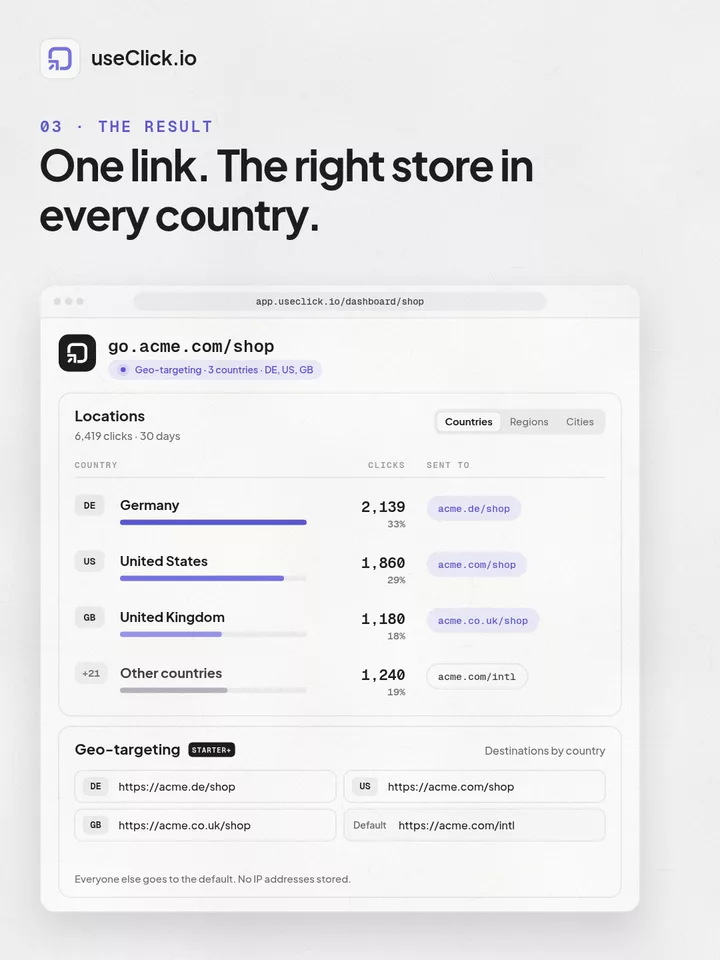
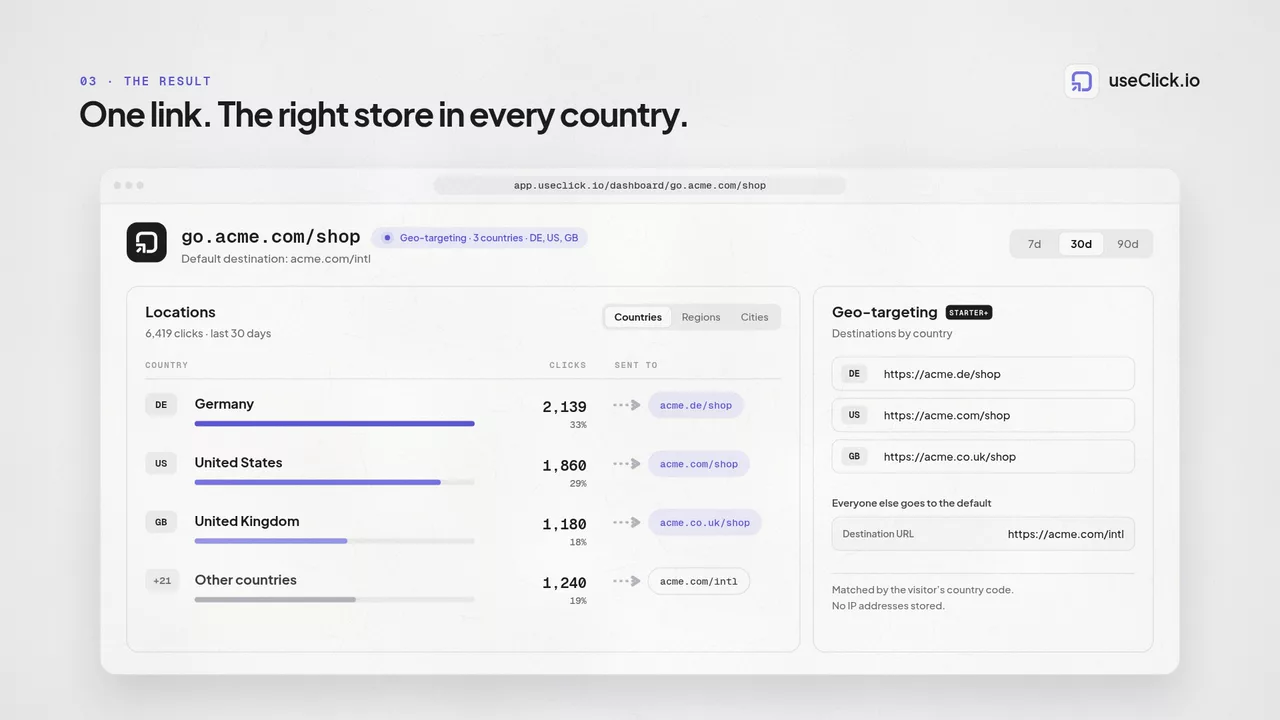
Understand where your geo-targeted links are being clicked
- • Geographic breakdown of all link clicks
- • Performance comparison between regions
- • Identification of high and low-performing areas
- • Traffic volume trends over time
Conversion Tracking
Measure the effectiveness of location-specific destinations
- • Conversion rates by geographic region
- • ROI comparison between targeted areas
- • User engagement metrics by location
- • Time-to-conversion by geographic segment
Optimization Insights
Data-driven recommendations for improving geo targeting
- • Identification of untapped market opportunities
- • Recommendations for new target locations
- • Performance benchmarking against industry standards
- • Seasonal and temporal pattern recognition
Geo Targeting Best Practices
Start with Core Markets
Focus your initial geo-targeting efforts on your most important regions:
- • Identify your highest-value geographic segments
- • Create targeted experiences for core markets first
- • Measure results before expanding to new regions
- • Use performance data to guide expansion decisions
Maintain Consistent Branding
Ensure location-specific content aligns with your overall brand:
- • Use consistent visual elements across all regions
- • Maintain brand voice while adapting to local preferences
- • Ensure legal compliance in all targeted jurisdictions
- • Create style guides for regional content variations
- • For organizing your geo-targeted links, consider using our campaign management to group related regional campaigns together.
Regular Performance Review
Continuously optimize your geo-targeting strategy:
- • Monitor click-through rates by geographic region
- • Test different destination pages for the same regions
- • Adjust targeting based on seasonal or market changes
- • Expand successful regional approaches to similar markets
- • For large-scale geo-targeting campaigns with many regions, consider using our bulk upload feature to efficiently create and manage regional links.
Track the performance of your geo-targeted campaigns with our analytics dashboard to measure regional performance and identify optimization opportunities.
Geo Targeting Close-Ups
High-conversion workflows for country-specific campaigns and affiliate routing.
Country-Based Offer Routing
Send each visitor to the right destination by market using one public short link.
Amazon Affiliate Localization
Route users to country-specific marketplace listings to improve relevance and affiliate conversions.
Fallback Destination Logic
Keep traffic flowing with default destinations for unmatched or ambiguous locations.
Geo Performance Analytics
Analyze regional click trends and optimize by country, state/region, and city.