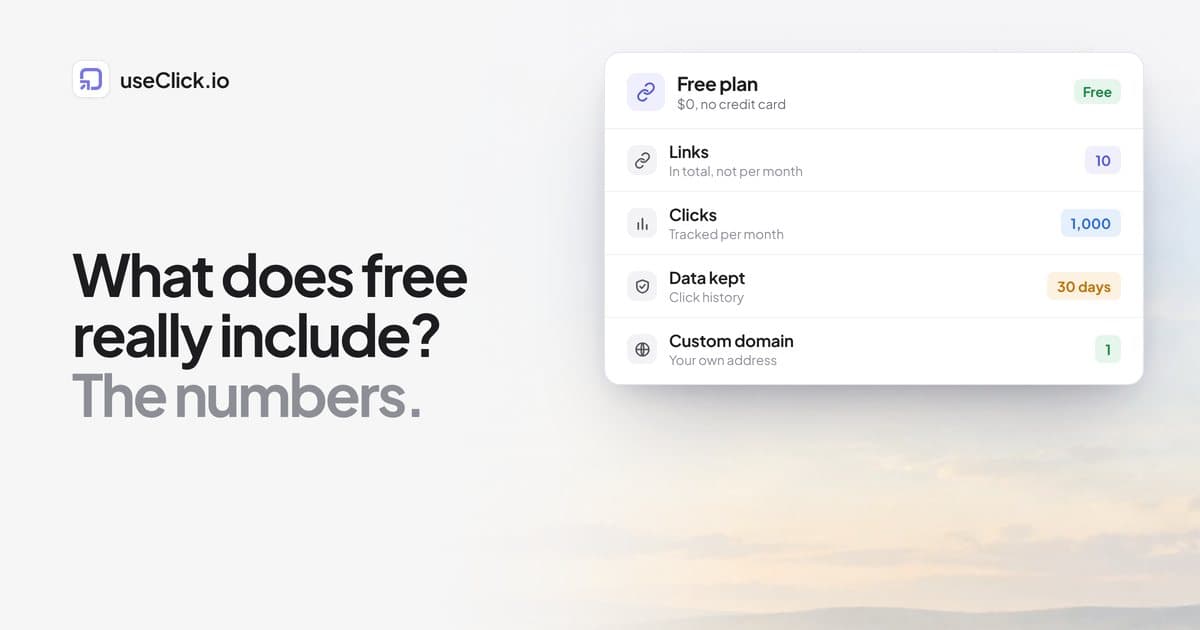
Quick answer: A free URL shortener can give you real click tracking, but the limits decide whether it is enough. On useClick's free plan you get 10 links in total, 1,000 tracked clicks a month, 30 days of data, one custom domain, one link-in-bio page, QR codes, bot detection and API access. What you do not get: editing a link's destination, UTM parameters on links, or the removal of the preview page that can appear after a link's first few clicks. Check those same points on any free plan.
Key Takeaways
- "Free" is defined by five numbers: links, clicks, data retention, what you can edit and whether visitors see anything before the redirect.
- Tracking on a free plan usually covers clicks, countries, devices and referrers. Retention is the limit that surprises people.
- A link you cannot edit is a link you must replace when a page moves.
- Free is a good way to test a tool. It is a poor fit for printed material you cannot reprint.
What "free" usually means
Free plans exist to let you try a tool, and they are limited in predictable places. Before you build anything on one, answer five questions:
- How many links can I have? And is that a total, or a monthly allowance?
- How many clicks are tracked? What happens when you pass it?
- How long is the data kept? Thirty days is common.
- Can I change a link's destination after creating it?
- Does a visitor see anything before the redirect? An ad, a preview page or a branded screen.
The last one decides how your links look to your audience. Some tools added ad pages to free links after the fact (the Bitly case is the best known), so it is worth knowing how a tool treats free links today and whether that has changed.
What the useClick free plan includes
| Item | Free plan |
|---|---|
| Short links | 10 in total (not per month) |
| Tracked clicks | 1,000 per month |
| Data retention | 30 days |
| Click analytics | Countries, devices, referrers, unique and total clicks |
| Custom domains | 1 |
| Link in bio pages | 1 |
| QR codes | Yes |
| Bot detection | Yes, with company and purpose |
| API and MCP server | Yes (100 requests per minute) |
| Website analytics | 1 website for a 14-day trial |
The numbers come from the plans and limits guide, which is kept current, so check it for any change.
Where the free plan stops
These are the limits worth knowing before you commit, stated plainly:
- No destination edits. A free link's destination cannot be changed after you create it. If a page moves, you create a new link. Editing destinations starts on Starter.
- No UTM parameters, campaigns or password protection on links. Those begin on Starter ($12 a month), along with expiration, click limits, geo-targeting and CSV export.
- A preview page after the first clicks. After a link's first 5 clicks, free links on the useClick domain can show visitors a short preview page before redirecting, unless the destination is on a trusted list. Links on your own custom domain, and links on paid plans, redirect directly. There are no ads on it.
- A badge on the bio page. Free bio pages show a small useClick badge.
- Short retention. Data older than 30 days is deleted daily. Your links and pages are not.
- A trial for website analytics. The site tracking runs for 14 days, then stops, with emails before each step.
None of this is hidden, but it is the difference between a tool you test and a tool you rely on.
What you can still do well on the free plan
Ten links go a long way if you use them deliberately:
- A single bio link. One short link in your Instagram or TikTok bio, or one link-in-bio page that carries several destinations.
- A test of one campaign. One link per placement (bio, a story, a newsletter slot) shows you which placement sends visitors. Where each platform lets you add a link lists the options.
- A QR code for something you can reprint. A dynamic QR code records scans by location and device.
- Your own domain. Putting
go.yourbrand.comon your links removes the preview page and takes about ten minutes (setup guide).
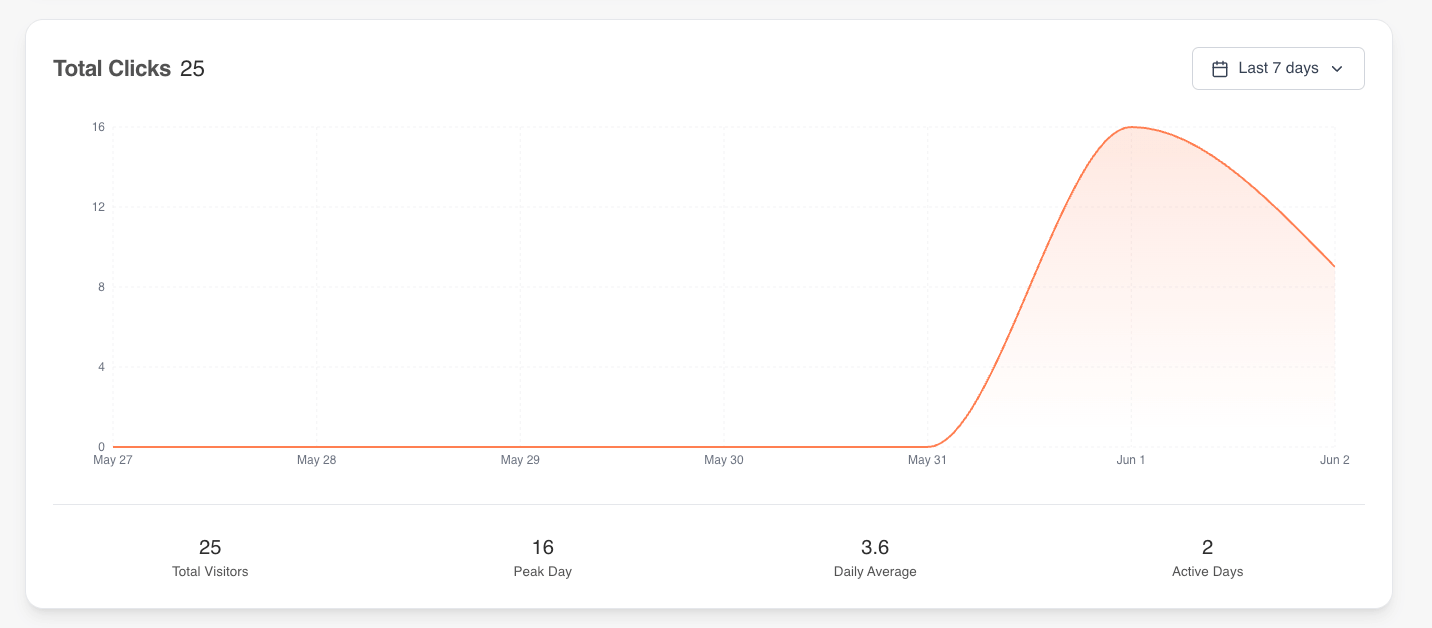
Click analytics for a single link: clicks over time, peak day and daily average.
When free is the wrong choice
- Anything printed that you cannot reprint. Packaging, signs, brochures. You need to be able to change the destination if a page moves, so use a plan that edits destinations or put the link on your own domain.
- Campaigns with more than ten placements. The link total fills up quickly.
- Reporting beyond 30 days. Year-over-year comparisons need a longer retention window: 12 months on Starter, 24 on Growth and three years on Pro and Business.
- Client or sponsor reporting. CSV export starts at Starter.
How to test a free plan in ten minutes
- Create two links to the same page and use one in a place that gets traffic.
- Click each from a phone and a laptop and note what the visitor sees.
- Check the analytics. Do you see country, device and referrer, and is a repeat click counted as unique or total?
- Try to edit the destination of a link.
- Look for the retention period in the documentation or the plan page, not just the pricing table.
- Check what happens at the limit: do links stop, or does only the counting stop?
On useClick, reaching the monthly click figure never stops a link from redirecting. New clicks may no longer be recorded in analytics until the month resets, and on Free you get an email when you reach it. Reaching the link limit refuses new links but existing ones keep working.
Free and the paid plans, side by side
| Free | Starter | Growth | |
|---|---|---|---|
| Price | $0 | $12 a month | $29 a month |
| Links (total) | 10 | 300 | 1,000 |
| Clicks per month | 1,000 | 25,000 | 50,000 |
| Data retention | 30 days | 12 months | 24 months |
| Edit destination | No | Yes | Yes |
| UTM, campaigns, CSV export | No | Yes | Yes |
| A/B/C/D testing | No | No | Yes |
Yearly billing costs the same as ten months of monthly billing. Compare the current numbers on the pricing page.
Frequently asked questions
Is there a free URL shortener with click tracking and no ads?
useClick shows no ads on any plan. On the free plan, links on the useClick domain can show a short preview page after their first few clicks, and links on your own custom domain do not.
Do I need a credit card for the free plan?
No. You can start without one.
Can I use my own domain on the free plan?
Yes. Every plan includes custom domains: one on Free.
How long do free plans keep click data?
It depends on the tool. On useClick it is 30 days. Check the documentation of any tool, because the pricing table often leaves it out.
What happens when I reach 1,000 clicks?
Your links keep redirecting. New clicks may not be recorded until the month resets, and you get an email when you reach the limit.
Can I upgrade without losing my links?
Yes. Upgrading changes your limits and unlocks features. Your links stay as they are.
Is the API free?
Yes, with a rate limit of 100 requests per minute on Free. The MCP server for AI assistants is included on every plan, with a daily limit on analytics queries.
The decision in one paragraph
A free shortener is a fair way to test a tool, and the useClick free plan is enough for a bio link, one campaign test and a QR code you can reprint. It is not enough for printed material you cannot change, for reporting beyond 30 days or for ten or more placements. Test the five things above on any tool you consider, and move to a paid plan when the limit starts to cost you something. You can start free and look at the plans when you need to.