Quick answer: In most cases you cannot see who clicked your link by name. What you can see is how many people clicked, when they clicked, roughly where they were (country and city), what device and browser they used, and which app or website sent them. To get that, share a trackable short link instead of the raw URL, then open its analytics. The only reliable way to know the actual person is when they are signed in to your own system or clicked a personalised link you sent them with their consent, such as in an email newsletter.
Key takeaways
- Click tracking tells you what happened, not who did it. Expect counts and context: time, location, device, browser, language and source.
- You have to set up tracking before you share. A link that has already been posted as a plain URL cannot be tracked after the fact.
- Social platforms show you link clicks in aggregate, and only for some formats and account types. None of them show you a list of the people who clicked.
- Identity is only available when the person identifies themselves: a login, a form, or a personalised email link. That is also where the legal obligations start.
- Total clicks and unique visitors are different numbers, and some clicks are not people at all. Link previews and email scanners open links automatically.
Can you see who clicked your link?
Not by name, in almost every situation. A click on a link is a request from a browser to a server. That request carries technical details: the browser and operating system, the preferred language, sometimes the page the person came from, and an IP address. It does not carry a name, an email address or a social media handle.
So when you ask "who clicked my link", the honest answer splits into two parts:
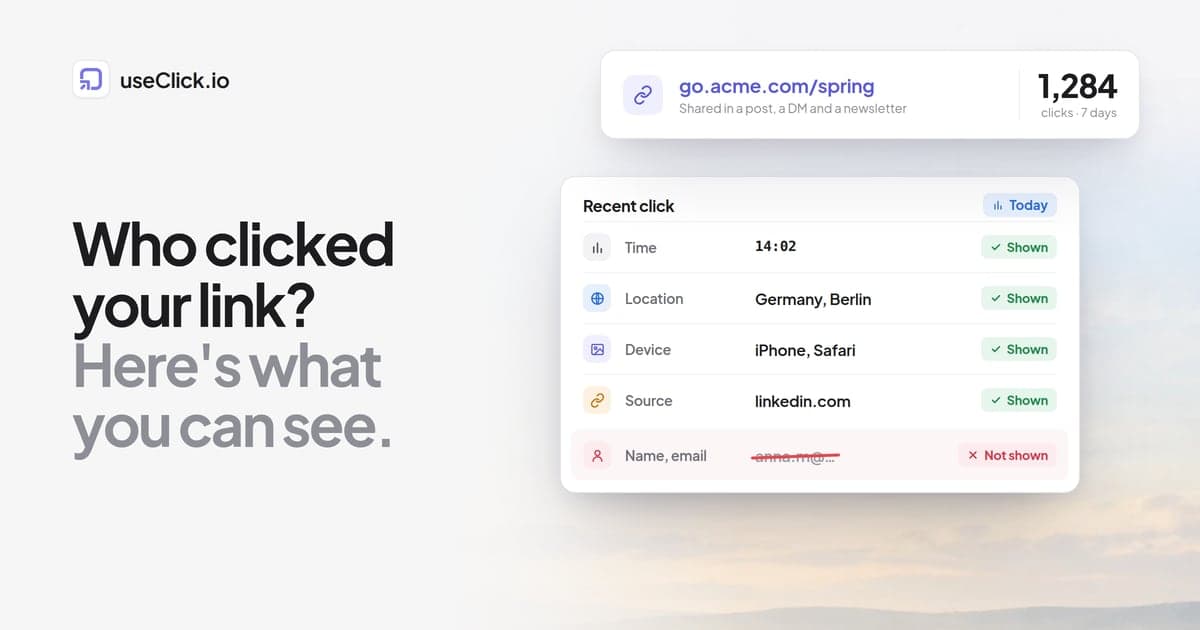
- What you can know about every click: the time, an approximate location, the device type, the browser, the operating system, the language setting, and the referring site or app when one is passed along.
- What you can only know when the person tells you: their name, email address or account. That requires them to be logged in to your site or app, to fill in a form, or to click a link that was created for them personally.
"IP logger" sites that promise more still only give you an IP address and a rough location. IP addresses are shared across households and mobile networks, change over time, and often belong to a VPN. They do not reliably identify anyone, and using them to track individuals covertly is a privacy problem in most jurisdictions.
How to track clicks on a link, step by step
The method that works everywhere is the same: put a trackable link between your audience and the destination, then read that link's analytics. Here is the process.
1. Create a short link before you share anything
Create a short link for the URL in a link tracking tool. Every time someone opens it, the tool records the click and redirects the visitor to the real page in a fraction of a second.
This has to happen before you post. Clicks on a raw URL you already posted cannot be counted later, unless the destination is your own website with analytics installed.
2. Use a separate link for each place you share it
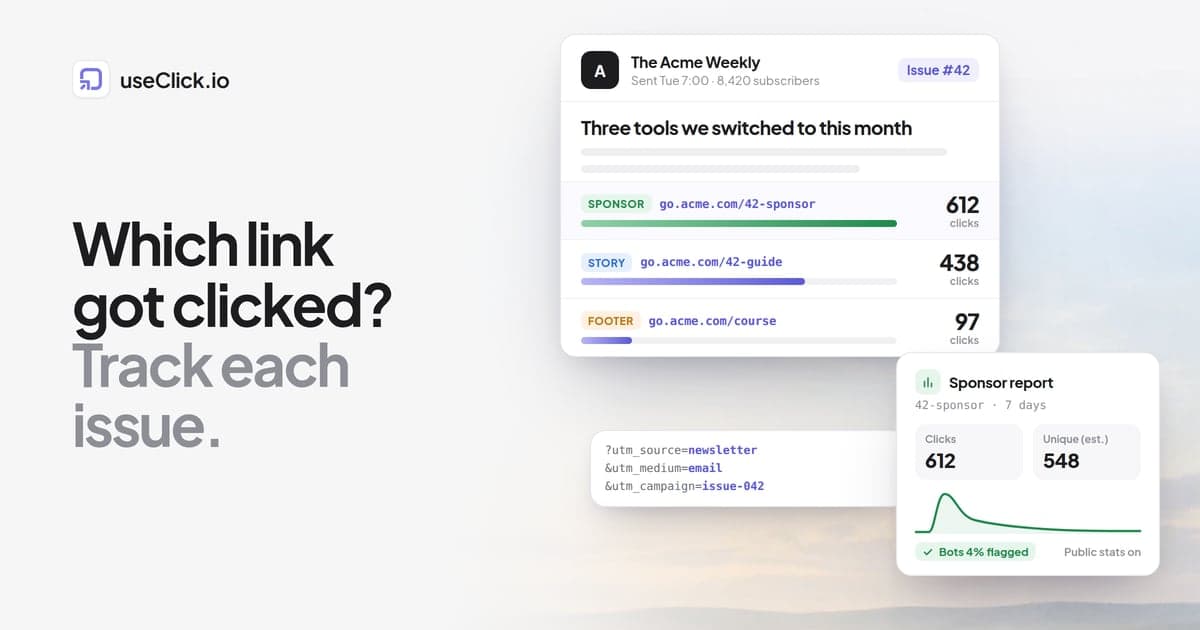
If you use one link in your Instagram bio, your newsletter and a WhatsApp group, you will know the total but not which place drove it. Create one short link per channel, or add UTM parameters so the destination's analytics can tell them apart. Separate links are the simplest option because they also work when the destination is not your site.
A readable back-half helps later: go.acme.com/spring-ig and go.acme.com/spring-news are easier to sort in a report than two random strings.
3. Share the link as usual
Post it, send it, print it as a QR code. Nothing changes for the person clicking.
4. Open the link's analytics
In useClick, every link has its own page with clicks over time, estimated unique visitors, locations down to city level, browsers, devices, operating systems, languages, traffic sources and a list of recent clicks with time, country, device, browser and referrer. The link analytics guide walks through each card. This works on the free plan, which includes 10 links and 1,000 tracked clicks per month with 30 days of history.
If someone else needs to see the numbers, for example a client or a collaborator, you can turn on a public stats page for the link instead of sharing your login.
What each platform shows you natively
Check what the platform already reports before adding a tool. In short: platforms count link clicks for some formats, mostly on business or creator accounts, and never list the individuals.
| Where you shared the link | What it shows natively | What it does not show |
|---|---|---|
| Instagram (Stories, bio) | Link taps or link clicks in Insights, on professional accounts | Who tapped; clicks on links shared in DMs |
| Link clicks in post insights for Pages and professional mode | Names of people who clicked (unlike reactions and comments) | |
| Post analytics with engagement and aggregated audience details | A list of people who clicked your link | |
| YouTube | Clicks on cards and end screens in YouTube Studio | A clear per-link count for links in the video description |
| Email newsletter tools | Clicks per link and per recipient | Anything about people who forwarded the email to others |
| WhatsApp, Messenger, SMS, iMessage | Nothing | Everything; clicks usually arrive with no referrer |
| Google Analytics (your own site) | Sessions by source, referrer and campaign | Clicks on links pointing to sites you do not own |
A few notes on the rows that trip people up.
Instagram. Story link stickers and bio links show taps in Insights, but only in aggregate, only for professional accounts, and the numbers can disagree with what your destination records. We cover the details in how to see who clicked your link on Instagram, so they are not repeated here.
Facebook and LinkedIn. You can see the names of people who reacted or commented, which leads many people to assume the same applies to clicks. It does not. Link clicks are reported as a number.
Email tools. This is the one common case where you do see a named person next to a click. Each subscriber gets a copy of the email with links that are unique to them, so the tool can match a click to a subscriber. That works because the person signed up to your list. Be aware that some corporate email security systems open every link in an incoming message to scan it, which shows up as a click from a real subscriber that no human made.
Private chats. Links shared in WhatsApp, Signal, Slack or text messages are called dark social. The platforms report nothing and the clicks arrive without a referrer, so analytics tools file them under Direct. A tracked short link per chat or group is the practical fix, and our guide to dark social tracking goes further.
What a click tracker can and cannot show
A link tracker fills the gaps above because it records the click itself instead of relying on the platform. It still has limits worth knowing before you read the numbers.
| A click tracker can show | A click tracker cannot show |
|---|---|
| Total clicks and when they happened, down to the hour | The name, email or profile of the person |
| Country, and usually region and city from the network | A precise address or GPS position |
| Device type, browser, operating system | Whether the same person clicked on two devices |
| Browser language | What the person did after leaving the destination, unless the destination tracks it |
| The referring site or app, when one is passed | The source of clicks from apps that strip the referrer |
| Which clicks came from known bots and link previews | Bots that disguise themselves as normal browsers |
Location deserves a word of caution. It comes from the visitor's network, not from their phone's GPS. Country is dependable. City is an estimate, and a mobile visitor can show up in the city where their carrier routes traffic rather than where they are standing. VPN users appear wherever their VPN server is.
Referrer data is incomplete by nature. Many apps, email clients and messengers do not pass on where the click came from, and QR scans and typed links never do. These land in a Direct bucket. That is how the web works, and it is the main reason to use a separate link per channel.
Privacy-focused trackers also skip data they could collect. useClick, for example, never stores IP addresses or full user agent strings. It keeps the parsed browser, device and operating system, and counts unique visitors with an anonymous hash.
Why identity tracking is limited, and when it is legal
The missing names are not a gap a better tool would close. The limit exists by design, technically and legally.
Technically, browsers do not announce who is using them, and they keep removing ways to follow people across sites: Safari and Firefox restrict third-party cookies by default.
Legally, anything that identifies a person is personal data. Under the EU's GDPR, that includes online identifiers, and the Court of Justice of the EU confirmed in the Breyer case (C-582/14) that even a dynamic IP address can be personal data. Collecting it to identify individuals needs a lawful basis and usually transparency about what you do. Similar rules exist in other places, such as the CCPA in California.
That leaves three situations where connecting a click to a person is both possible and normal practice:
- Logged-in users. If someone clicks a link inside your own app or site while signed in, your product already knows who they are. Your privacy policy covers how you use that activity.
- Personalised email links. Newsletter and CRM tools create per-recipient links. People subscribed to your list, and your privacy notice should say that you measure clicks.
- The person gives you their details. A form in front of the content, such as a download that asks for an email first. useClick's email capture works this way: the link shows a form, the visitor confirms their address through a double opt-in email, and only then reaches the destination. It is a Starter plan feature, and you are the data controller for the addresses you collect.
What is not normal practice: sending a single person a disguised tracking link to find out where they are. That is not marketing measurement, and it is the kind of use privacy law and most platforms' rules are written against.
Unique clicks, total clicks and bots
Two numbers on any click report need interpreting.
Total clicks vs unique visitors. Total clicks count every open. One person who taps your link three times, or reopens the tab, adds three. Unique visitors try to count people instead. Without cookies or logins, that count is always an estimate: useClick labels it "Unique visitors (est.)" and builds it from an anonymous hash of browser characteristics. Two people with identical phones and settings can look like one visitor, and one person on a laptop and a phone counts as two. Use unique visitors for reach and total clicks for activity, and compare the ratio between links rather than treating either as an exact headcount.
Bots and link previews. When you paste a link into Slack, WhatsApp, iMessage, LinkedIn or X, the app fetches it to build the preview card. Search engines crawl links, AI assistants open them when answering questions, and email security scanners click through links in incoming mail. Each of those can register as a click. A good tracker identifies known bots and shows them separately. In useClick, the Bot traffic card lists them by name and category and the KPI row shows the bot share, so you can filter them out. Detection is based on the user agent, so a bot that pretends to be a normal browser still counts as a person.
For what to do with these numbers once you have them, see the seven link metrics worth watching.
Frequently asked questions
Can you see who clicked your link?
Usually not by name. Link trackers and platform insights show how many people clicked, when, from which country and city, on which device and browser, and from which app or site. You only see the person's identity if they are logged in to your system, clicked a personalised link from your email tool, or entered their details in a form.
How can I see how many people clicked my link?
Share a trackable short link instead of the original URL, then open that link's analytics. It shows total clicks, estimated unique visitors and when the clicks happened. If you already shared the plain URL, check the platform's own insights or, if the destination is your website, its analytics under referrals.
Is there a free link click tracker?
Yes. Several link shorteners include click analytics on a free plan. useClick's free plan includes 10 links, 1,000 tracked clicks per month, 30 days of history, and the full breakdown by location, device, browser, source and bots. Check any free plan's limits on history length and monthly clicks before you rely on it for a campaign.
Can someone see if I clicked their link?
They can see that a click happened, along with your approximate location, device and browser, if the link runs through a tracker. They cannot see your name unless you are logged in to their service, the link was personalised for you, or you fill in a form.
Why do I have clicks on my link but no sales or sign-ups?
Some of those clicks may be link previews, crawlers or email scanners rather than people. Check the bot share first. After that, the gap is usually on the destination page: a slow page, a mismatch between the post and the page, or a page that does not work well on mobile.
Does link click tracking need cookie consent?
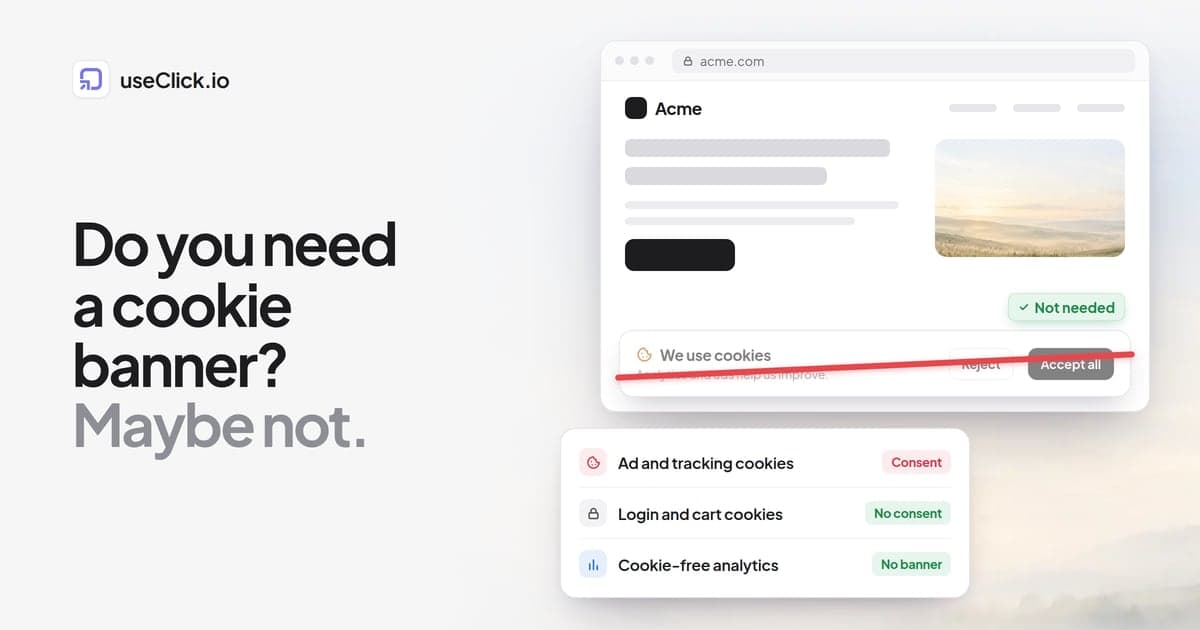
Server-side click tracking records the click during the redirect and does not need to set anything on the visitor's device. Tools that also avoid storing IP addresses and personal identifiers generally do not trigger a consent requirement for basic click counting. Personalised or identity-based tracking is different and needs a lawful basis.
The short version
You cannot see who clicked your link, and you should be wary of any tool that claims otherwise. What you can see is enough to make decisions: how many people clicked, when, where they were roughly, what they used, and which channel sent them. Set up a tracked link per channel before you share, read unique visitors as an estimate, filter out the bots, and only connect clicks to real people when those people have signed in or opted in.
If you want to try this on your next post, create a free useClick account and make your first tracked link before you post.