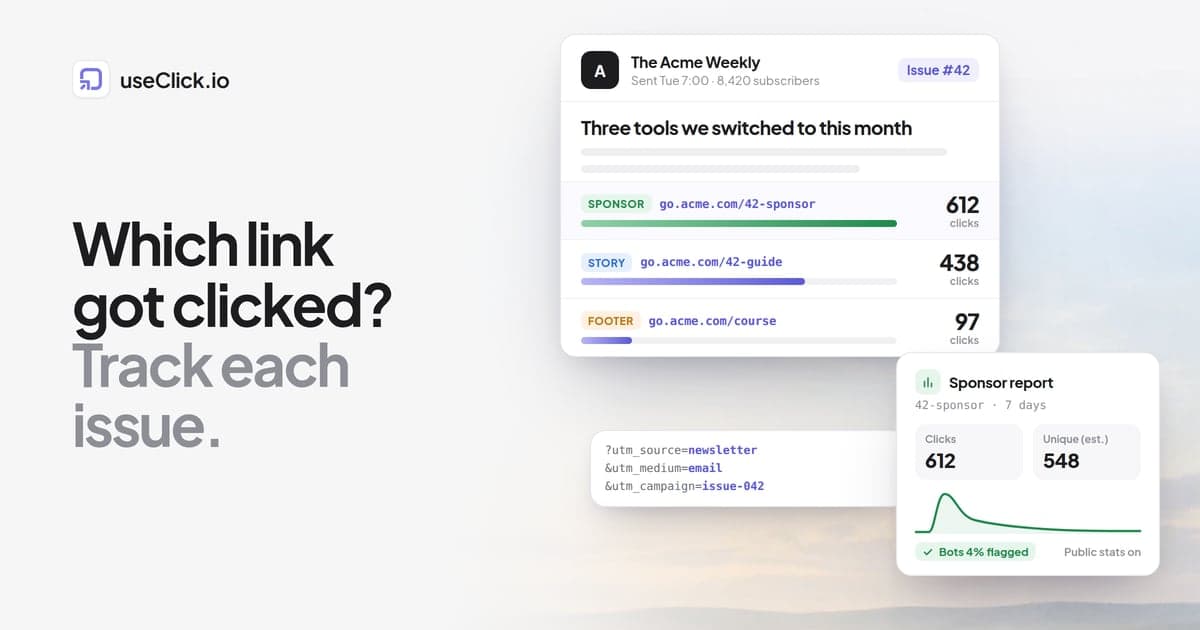
Quick answer: Your newsletter platform already counts clicks per link, but those numbers include automated clicks from email security scanners and they stay locked inside the platform. For links that matter, such as sponsor slots, links you reuse across issues and links you also post on social, create your own tracked short link with UTM tags per issue (for example utm_source=newsletter&utm_medium=email&utm_campaign=issue-042). That gives you per-click data you can inspect, share with a sponsor and keep if you ever change platforms.
Key takeaways
- Substack, beehiiv, Ghost, Kit and Mailchimp all report clicks per link. The problem is not missing data, it is data you cannot inspect, filter or take with you.
- Security scanners in corporate and school inboxes open links to check them before a person sees the email. Those visits can register as clicks. Apple Mail Privacy Protection is a different issue: it inflates opens, not clicks.
- Add your own tracked link where the number will be questioned or reused: sponsor links, evergreen links in your footer, and anything you cross-post.
- Use one naming scheme for every issue. Source and medium stay fixed, the campaign names the issue, and
utm_contentnames the placement. - A sponsor report needs clicks, estimated unique visitors, a note on automated traffic and the time curve after the send. A shareable stats page saves you from screenshotting dashboards.
What your newsletter platform already tracks
Newsletter tools rewrite the links in your email. When you paste https://acme.com/guide into an issue, the version that lands in the inbox points to the platform's own redirect first, which logs the click and forwards the reader. That is how the platform knows 312 people clicked your second link.
For most links this is enough, and it needs no setup. The limits show up when you need to do something with the number:
| What you want | Built-in platform tracking | Your own tracked link |
|---|---|---|
| Clicks per link, per issue | Yes | Yes |
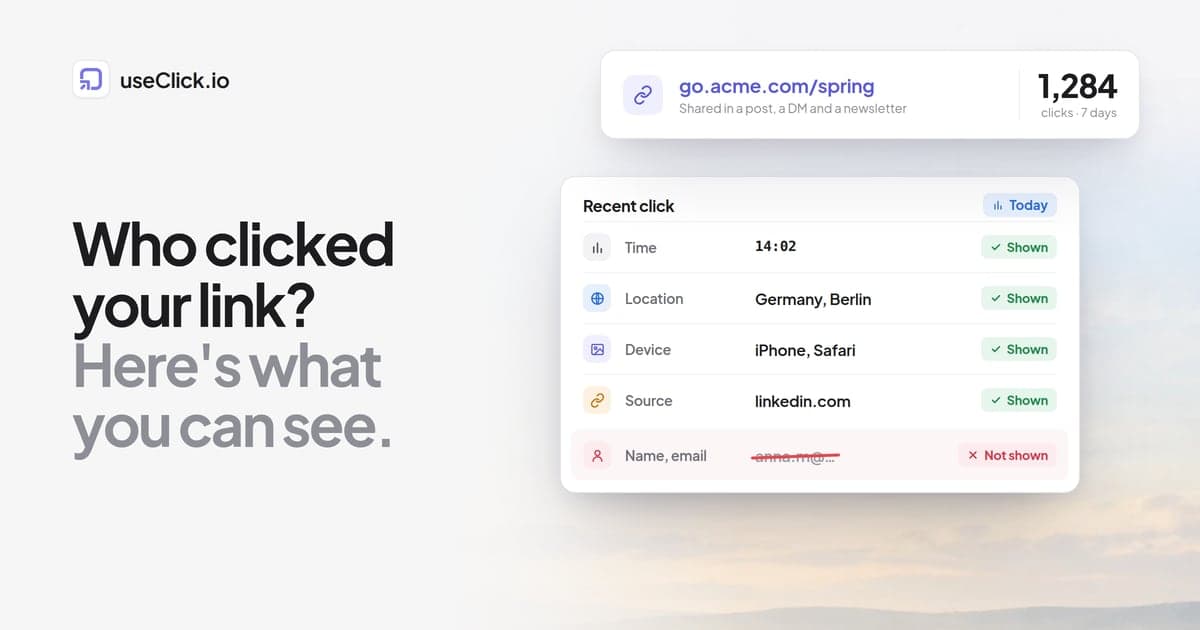
| See individual clicks (time, country, device) | Rarely, and not in a form you can export for one link | Yes |
| Tell automated clicks apart | Depends on the platform, often not visible to you | Visible for bots that identify themselves, and you can look at the timing yourself |
| Total for a link reused across 10 issues | You add it up by hand | One link, one running total |
| Same link in the newsletter and on social | Only counts the email | Counts every channel, split by referrer or UTM tags |
| Share with a sponsor without giving them your login | Screenshots | A read-only stats page |
| Keep the history if you move platforms | Stays behind | Stays with you |
Some platforms can also append UTM tags to outgoing links for you. Mailchimp, for example, has a Google Analytics link tracking setting that does this per campaign. Check what yours does before you add tags of your own, because two sets of tags on one link produce messy reports.
Why newsletter click numbers run high
If a link report looks too good to be true, it often is. Three things push click counts up, and only one of them is about people.
Security scanners open links before readers do
Many companies, universities and some email providers run every incoming message through a security filter. Some of those filters follow each link in the email to check whether the destination is malicious, before the message reaches the inbox. From your platform's point of view, that request looks like a click.
The signature is easy to recognise: clicks on every link in the issue, arriving within seconds or minutes of the send, often from the same country and device type. A B2B newsletter with many work addresses sees far more of this than a consumer newsletter read mostly on phones.
Some platforms now try to filter these clicks. Find out whether yours does, and whether your dashboard shows the raw or the filtered count, because a sponsor may compare it with their own analytics.
Your own link tool will not make scanners disappear either. Link tools usually spot bots by their user agent, which catches crawlers, link previewers and AI assistants that say what they are. Many scanners present themselves as an ordinary browser and look like people in any tool that works this way. The timing pattern is what gives them away.
Apple Mail Privacy Protection affects opens, not clicks
Apple Mail Privacy Protection loads remote images, including the invisible tracking pixel, through Apple's servers whether or not the reader opens the email. That makes open rates unreliable for readers using Apple Mail with the feature on.
It does not click your links. A click still needs a person, or a scanner, to request the link. If your open rate jumped and your click rate did not, this is the likely reason. Judge issues on clicks, and treat open rate as a rough signal.
Forwards, web versions and double counting
Forwarded copies still carry your tracked links, so a subscriber's colleague shows up as that subscriber's click. Web versions and archive pages carry links too. A reader who taps a link twice counts twice. None of this is wrong, but it is why you report estimated unique visitors next to total clicks.
When to add your own tracked links
You do not need a short link for every link. The platform's numbers are fine for the reading list at the bottom of a roundup. Add your own tracked link when one of these is true.
It is a sponsor link. The sponsor pays for the click, and you will be asked to prove it. A link you control gives you per-click data and a report you can share.
You reuse it across issues. Your paid tier, your course, your community. If a link appears in 30 issues, you want one running total and a chart over time, not 30 numbers in 30 reports.
You cross-post the issue. If an announcement goes out by email, on LinkedIn and in your bio, one short link per channel (or different UTM tags per channel) tells you where the clicks came from. Substack writers can pair this with our guide to putting Substack in your link in bio.
The destination might change. A short link can be repointed after the issue is sent (in useClick, editing a destination needs a paid plan). If the offer ends, you fix one link instead of leaving a dead one in your archive.
You might switch platforms. Links like go.acme.com/course keep working, with their history, when you move newsletter tools. Links rewritten by the old platform depend on that platform.
Inside the email, the platform will still wrap your short link in its own redirect. That is fine: the reader passes through both, both count the click, and you get a second count to compare. If the numbers are close, trust either. If they differ a lot, your per-click data helps you find out why.
A naming convention for every issue
Tracking is only as good as its consistency. If issue 41 uses utm_source=Newsletter and issue 42 uses utm_source=email, your analytics tool treats them as different sources.
A scheme that works for most newsletters:
| Parameter | Value | Rule |
|---|---|---|
utm_source |
newsletter (or your newsletter's name, like acme-weekly) |
Never changes |
utm_medium |
email |
Never changes |
utm_campaign |
issue-042 |
One per issue, zero-padded so it sorts correctly |
utm_content |
sponsor-top, sponsor-bottom, main-story, footer-course |
Names the placement inside the issue |
Keep the short link readable, since readers see it in plain-text emails. go.acme.com/42-sponsor tells you the issue and the link at a glance.
For evergreen links that appear in every issue, drop the issue number from both the slug (go.acme.com/course) and the UTM campaign, and use utm_content=footer-course to separate the placement. The per-click timestamps, lined up with your send dates, still show which issue drove a spike.
Three rules: lowercase everything (most analytics tools are case-sensitive), use hyphens instead of spaces, and write the scheme down where a co-writer will find it.
Our guide to UTM parameters explains each tag, and the free UTM builder builds tagged URLs for you. Once you are into hundreds of links, see naming conventions and folders that scale.
In useClick, custom domains are on every plan, including Free. The UTM option in the create-link dialog adds the tags for you, and campaigns group links in the dashboard so you can filter and export them together; both need Starter or higher. A useful split: one useClick campaign per sponsor deal, so a sponsor's links across several issues sit together, and one utm_campaign per issue, so your website analytics shows each issue separately.
How to build a sponsor report
Sponsors renew when the numbers hold up against their own analytics. Keep the report short and honest about what each number means.
Before the issue goes out
- Ask the sponsor for their destination URL. If they give you a URL that already carries their own UTM tags, use it unchanged as the destination, so the visits show up in their analytics the way they expect.
- Create one short link per placement. A top slot and a bottom mention are two links. That answers the sponsor's next question: which placement worked better?
- Test each link on a phone and a desktop before the send.
After the issue goes out
Wait a few days. Newsletter clicks arrive in a first-day burst followed by a long tail, so a report pulled after two hours undercounts.
Then collect:
| Item | Where it comes from | Why it matters |
|---|---|---|
| Sends and opens | Your newsletter platform | Context only. Say that opens are inflated by privacy features |
| Platform-reported clicks | Your newsletter platform | The number the sponsor may have seen in your media kit |
| Clicks on the tracked link | Your link analytics | The main number |
| Estimated unique visitors | Your link analytics | Removes repeat taps and double counts |
| Automated traffic | Bot labels plus the timing of early clicks | Shows you checked, which builds trust |
| Clicks over time | Your link analytics chart | Shows the send-day spike and the tail |
| Top countries and devices | Your link analytics | Helps the sponsor judge audience fit |
State which number you are reporting and how you handled automated clicks. If you excluded a first-minute burst on every link, say so. A sponsor will trust a lower, explained number over a high one they cannot match.
Share it without screenshots
A read-only stats page beats a PDF of screenshots. In useClick you can turn on a public stats page for one link: the sponsor sees clicks, estimated unique visitors, the clicks chart, countries, devices, referrers and a bot traffic card, without an account and without seeing your other links. You can switch it off at any time. The public page is built from the link's most recent 1,000 clicks, so for very large sends take the totals from your own dashboard. Bot clicks stay in the click total and are shown separately, labelled by name and category (see bot traffic), so you decide which number to report. CSV export is on paid plans.
Mind data retention too. If a sponsor asks in March about last October, a 30-day history will not help. Check how long your link tool keeps click data before you promise year-end numbers.
What happens after the click
A click only tells you that someone arrived. The next question is what they did on the site.
If you control the destination, add website analytics there. A tool that reads UTM tags groups visits by campaign, so you can compare issue-042 with issue-041 on pages viewed and sign-ups, not just clicks. In useClick's website analytics, the traffic sources card has a Campaigns view grouped by UTM campaign, source, medium, term or content. On Growth and up, goals and a click-to-conversion card connect short link clicks to results on the site. The script sets no cookies and stores no IP addresses.
If the destination belongs to a sponsor, you cannot see past the click. Give them clean UTM tags and ask whether they will share sign-ups or sales from your placement. A dedicated promo code in the issue closes the loop without any tracking at all.
Frequently asked questions
How do I track clicks in my newsletter?
Your platform already counts clicks per link in each issue's report. For links you need to prove or reuse, such as sponsor links, put a tracked short link on your own domain in the email, with UTM tags naming the issue. You then have the platform's count plus your own per-click data.
Why are my newsletter clicks so high?
Usually because email security scanners follow links to check them before the message reaches the inbox, and those requests are counted as clicks. It is most common on lists with many work and school addresses. Look for clicks on every link within minutes of the send, and report estimated unique visitors alongside total clicks.
Does Apple Mail Privacy Protection affect click tracking?
No. Apple Mail Privacy Protection preloads images, including the open-tracking pixel, which inflates open rates. It does not request the links in your email, so it does not create clicks. Clicks are the more reliable engagement number for newsletters because of this.
Can I use a link shortener in Substack or beehiiv?
Yes, paste it like any other URL. The platform will still wrap it in its own tracking redirect, so both count the click. Use a short link on your own domain rather than a shared shortener domain, which some spam filters treat with suspicion.
How do I track sponsor links in a newsletter?
Create one short link per sponsor placement, keep the sponsor's own UTM tags on the destination if they provide them, and send the issue. After a few days, report clicks, estimated unique visitors, a note on automated traffic and the clicks-over-time chart. A read-only stats page for the link is the simplest way to share it.
What UTM parameters should I use for a newsletter?
Keep utm_source and utm_medium fixed (for example newsletter and email), use utm_campaign for the issue (issue-042), and use utm_content for the placement (sponsor-top). Lowercase everything and write the scheme down so every issue follows it.
The decision in one paragraph
Keep using your newsletter platform's click reports for everyday links, and stop treating them as audit-grade for the ones that pay. Put sponsor links, evergreen links and cross-posted links on short links you control, tag them with one per-issue UTM scheme, and report clicks with estimated unique visitors and a plain note on automated traffic. That takes a few minutes per issue and gives you numbers you can explain to a sponsor, compare across issues, and keep when you change tools.
If you want to try this on your next issue, start free with your own custom domain and add UTM tags and campaigns when you need them.