
Short Link Management
Create branded short links and track every click.
Short Link Management →Build a mobile-optimized bio page with your own username, a design that matches your brand, and links that report straight into your UseClick analytics.
Social platforms give you exactly one link in your profile. A UseClick bio page turns that single link into a full page of destinations, and every button on it is still a real short link with its own click count.
Pick a username, choose a theme, add your links and a few content blocks, and publish. There is no code to write and no separate app to learn; it lives in the same dashboard as your short links.
A bio page is built from a handful of pieces: your profile, a social row, your links, and content blocks, all reordered by drag and drop.
Add, remove, and reorder social links from a searchable platform picker. Each platform carries its own icon and brand color, rendered as circular buttons styled with your page's button color.
Drop a Header, Text paragraph, Divider, or Embed in anywhere among your links. Header and Text blocks support three sizes and left, center, or right alignment; Embeds auto-detect YouTube, Spotify, SoundCloud, and Apple Music links and render inline.
Links and blocks share one ordered list. Reorder them with native drag-and-drop or the up and down arrow buttons; the new order is saved as you go.
Start from a coordinated theme and adjust anything underneath it: colors, button shape, font, and how much room each link gets.
Page-wide defaults apply everywhere, but any single link can override them without touching the rest of the page.
Give a single link its own button color and icon mode from the Edit Bio Link modal, independent of the page default.
Flag a link as sensitive and visitors see a warning overlay on the first tap; the link only opens on the second tap. It reuses the same 18+ flag as your short links.
Bio buttons show a lock icon for password-protected links and an 18+ badge for links carrying an age or mature-content warning, both inherited automatically from the underlying short link's settings.
Run more than one bio page (one per event, brand, or campaign), each with its own username, links, and design. Your plan sets how many.
A fixed-size phone frame sits next to the editor and mirrors every change, theme, blocks, links, warnings, and icons, live, so you never have to open the public page to check your work.
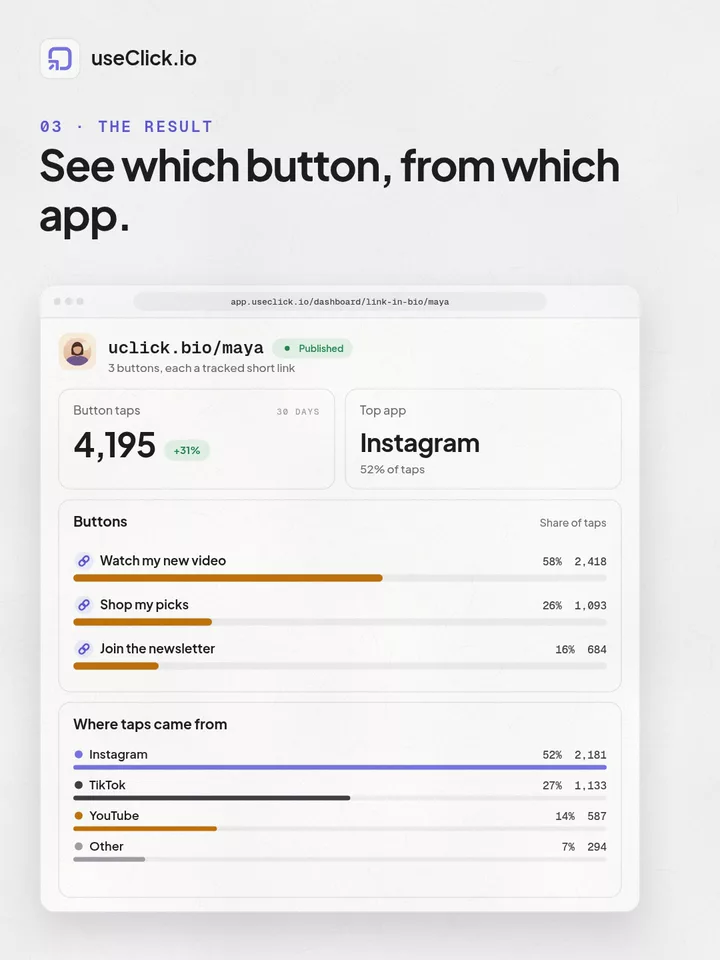
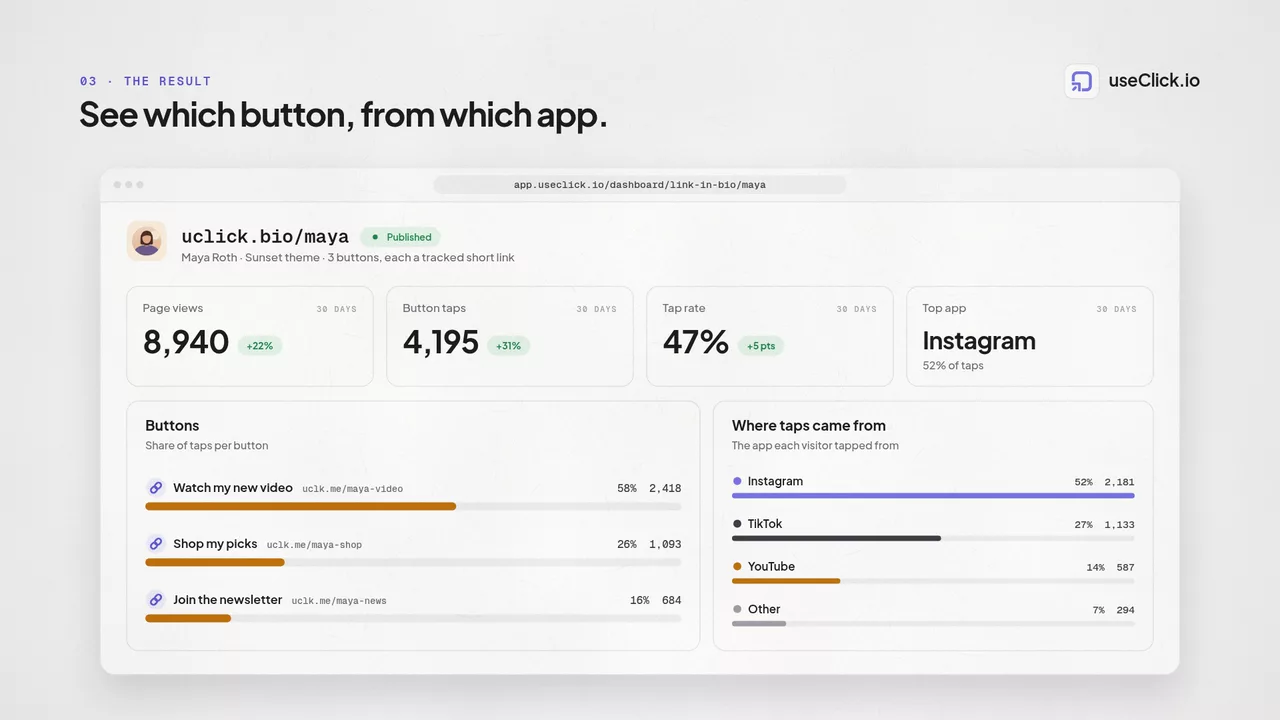
The bio pages list gives you the overview; each link's full analytics are one click away.
The details that make a bio page feel finished.
Free pages show a small "useclick.io, Start Free" badge at the bottom. Upgrade and it disappears; there's nothing to toggle.
Header, Text, Divider, and Embed, each with its own size and alignment controls, dropped in anywhere among your links.
Length, characters, and uniqueness are checked as you type, at claim time and whenever you edit an existing username.
Paste a YouTube, Spotify, SoundCloud, or Apple Music link into an Embed block and it renders inline, no extra setup.
Every supported platform ships with its own icon and brand color, styled to match your button color automatically.
Drag-and-drop or arrow-button reordering saves the new position for every link and block immediately.
A link-in-bio page is one profile URL that holds multiple destination links, plus content blocks like headers, text, dividers, and media embeds. Every button on it is a real short link, so its click count links straight into that link's full analytics page.
Create a UseClick bio page, add your links and social icons in the editor, and use that single page URL as your profile link. Free accounts get one bio page; paid plans allow more (Starter 2, Growth 5, Pro 10, Business 20).
Yes. Assign a verified branded domain from your Domains settings to any bio page in its Settings tab, and its public URL switches from uclick.bio to your own domain.
UseClick.io's free plan includes one bio page with a custom username, 17 one-click themes, custom colors and fonts, and content blocks. Free pages carry a small "useclick.io, Start Free" badge, which is removed automatically on paid plans.
A shortener, a bio tool and an analytics script each see one piece of the story. useClick connects all three, so every visit comes with where it started and where it ended.
Create branded short links and track every click.
Short Link Management →One page for all your links, with per-link analytics built in.
Link in Bio →Cookie-free traffic, regions, and top pages, no consent banner.
Website Analytics →UseClick.io makes link management effortless. Create branded short links that are clean, memorable, and built to strengthen your brand identity.
