Quick answer: Make every shop button on your bio page a tracked short link with UTM tags, and use a separate bio page link per platform if you want to know whether Instagram or TikTok sent the buyer. The bio page counts taps per button. The UTM tags carry the source into your shop, which reports sales by utm_source and utm_content. Divide sales by taps per button and you know which link made the sale.
Key takeaways
- Taps are not sales. A button with fewer taps can sell more.
- Two layers: the bio page counts taps per button; the shop counts sales per tagged link.
- A separate bio page link per platform tells you where the buyer came from before they reached your bio.
- Promo codes catch buyers who type the URL later. Count code copies next to taps.
The gap between taps and sales
Every bio tool shows taps. A few show taps per button. Almost none can tell you whether a tap became a sale, because the sale happens on another site: Shopify, Gumroad, Stripe, Ko-fi, a course platform.
Closing that gap does not need a new tool. It needs the shop to know which tap the buyer came from. That is what tagged links do.
Layer 1: count taps per button
On a useClick bio page, the analytics tab shows views, visitors and taps on every button, on every plan. Bio page analytics are cookie-free: no banner on your bio page.
Two settings help the numbers:
- Spotlight (Starter and above) highlights one button, such as this week's drop, so you can see what a featured spot does to taps.
- Link scheduling (Starter and above) shows a button only between two dates, so an expired offer never collects taps.
Layer 2: tag each shop button
Point each shop button at a short link with UTM tags instead of the plain product URL.
| Button | Short link | utm_source | utm_medium | utm_content |
|---|---|---|---|---|
| New hoodie | go.acme.com/bio-hoodie | bio | link_in_bio | hoodie_button |
| Presets pack | go.acme.com/bio-presets | bio | link_in_bio | presets_button |
| 1:1 coaching | go.acme.com/bio-coaching | bio | link_in_bio | coaching_button |
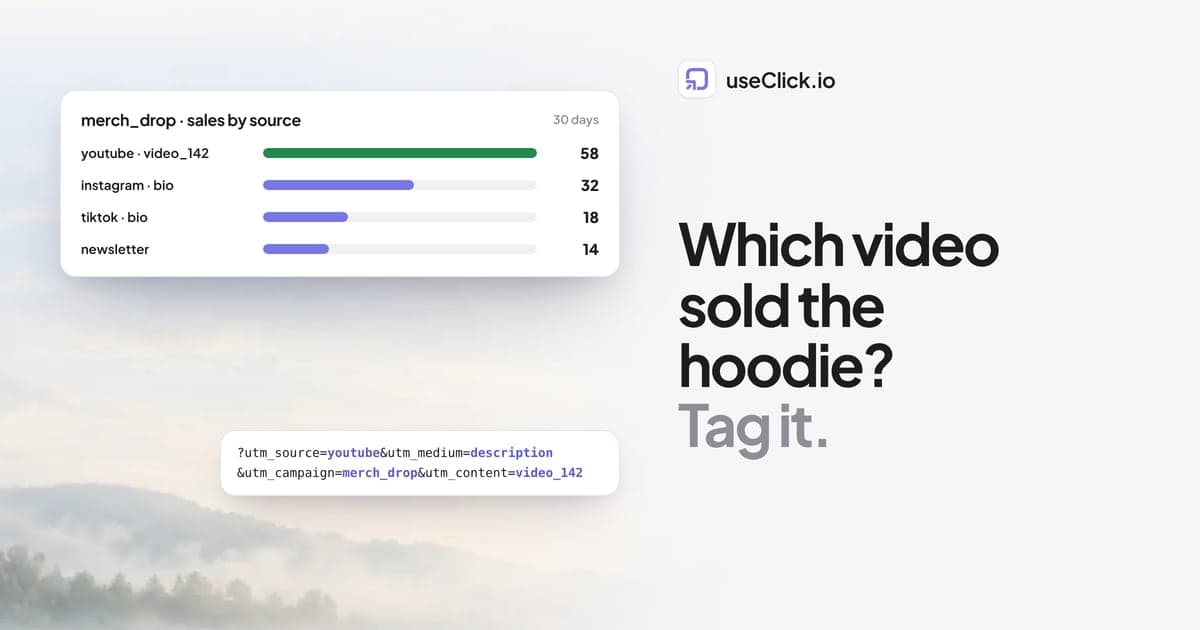
Add a utm_campaign for the period or the drop (fall_drop). Your shop now reports sales with utm_content=hoodie_button separately from presets_button.
UTM tags on links need the Starter plan or above. Custom domains, so the link reads go.acme.com instead of a random domain, are on every plan.
Layer 3: know the platform
The bio page tells you a tap happened on the bio. It does not tell you whether the visitor came from Instagram or TikTok, because both point at the same page.
Two ways to fix that:
- The referrer. Bio analytics list referrers when the platform sends one. Some in-app browsers do not, so this is a partial answer.
- One short link per platform to the bio page. Put
go.acme.com/igin your Instagram bio andgo.acme.com/ttin TikTok, both pointing at your bio page withutm_source=instagramorutm_source=tiktokon the destination. Each short link counts its own clicks, and the bio analytics show visitors by UTM source next to the referrers.
With the second option you know: 2,000 people came from TikTok, 900 from Instagram, and the hoodie button sold 31 times. To connect the platform to the sale as well, use a bio page per platform with its own tagged shop buttons. For most creators, visitors per platform plus sales per button is enough.
Layer 4: promo codes
Some buyers see your post today and buy next week by typing the shop URL. No link catches them. A code does.
A promo code block on a useClick bio page (Starter and above) shows the code with a copy button and counts every copy. Your shop counts redemptions. Copies against redemptions is another view of the same question, and it is the number a sponsor will ask for.
Read it once a month
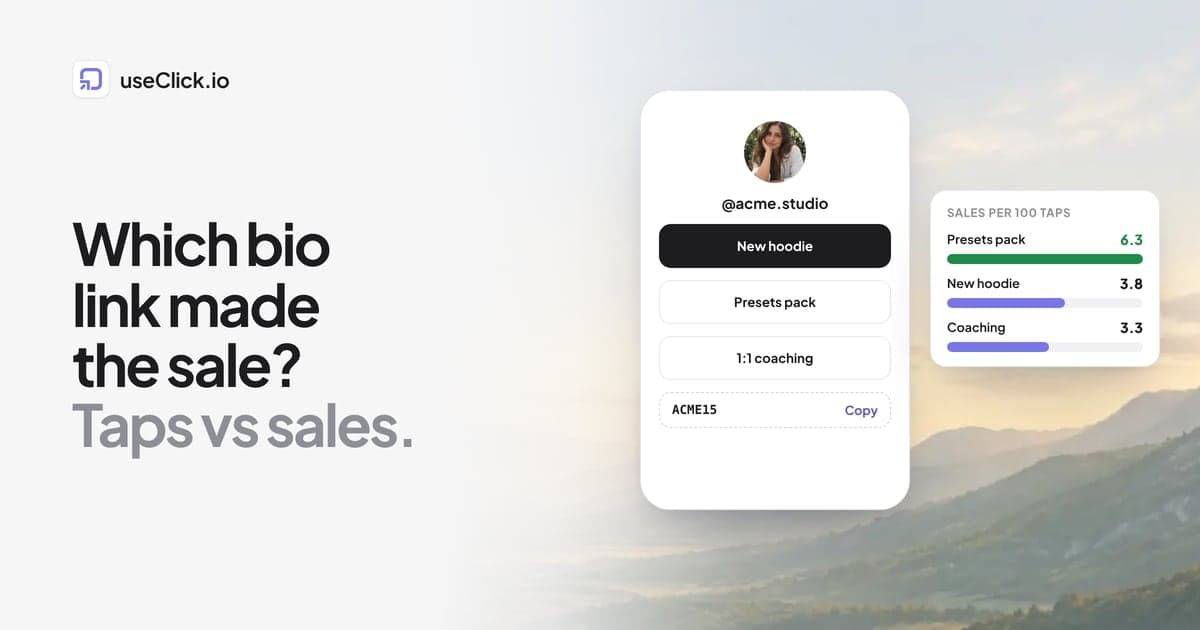
| Button | Taps (bio) | Sales (shop) | Sales per 100 taps |
|---|---|---|---|
| New hoodie | 820 | 31 | 3.8 |
| Presets pack | 410 | 26 | 6.3 |
| 1:1 coaching | 120 | 4 | 3.3 |
The numbers here are an invented example. The pattern they show is common: the presets pack gets half the taps of the hoodie and almost as many sales, so it deserves the spotlight. Coaching is a small number of high-value sales; judge it by revenue, not count.
Instagram story link tracking covers the same idea for stories.
Keep the sale, not a share of it
Some link-in-bio and storefront tools take a percentage of every sale made through them. Before you compare analytics, check the fee. useClick charges a flat plan and takes no share: your buttons point at your own shop or at your Stripe or Ko-fi checkout, and the money goes straight to you.
If you are comparing bio tools, the best Linktree alternatives lists the options and useClick vs Linktree compares the two directly.
Frequently asked questions
Can Linktree track sales?
Linktree shows clicks per link, and its paid plans include more analytics and commerce features. Sales still happen in your shop, so you need UTM tags on the links for the shop to attribute them. Check Linktree's current plans for fees on sales made through its commerce features.
How do I track sales from my Instagram bio link?
Make each shop button on your bio page a short link with UTM tags (utm_source=bio, utm_content with the button name), and use a separate short link in your Instagram bio if you want Instagram counted separately. Your shop then reports sales by tag.
Does my shop need to support UTM tags?
Most do: Shopify, WooCommerce, Gumroad, Stripe Payment Links and most course platforms read UTM tags on the landing URL. Check where your platform reports sales by source.
Can I see which bio button gets the most taps for free?
Yes. useClick bio page analytics, including taps per button, are on every plan. UTM tags on links need Starter.
What if people buy days later?
Then the link usually does not get the credit, because the buyer came back directly. A promo code with a copy counter catches part of those buyers.
Do I need cookies or a banner on my bio page?
No. useClick bio page analytics are cookie-free and do not store IP addresses.
The decision in one paragraph
Taps tell you what people are curious about; sales tell you what works. Make every shop button a tagged short link, give each platform its own link to your bio, add a promo code where a sponsor is involved, and check sales per tap once a month. That is enough to know which link made the sale, and to put the right product in the spotlight.