A visitor from Germany clicks your U.S. Amazon affiliate link and lands on a page that doesn't apply to them. They bounce. That's a lost sale, and it happens constantly to affiliates relying only on Amazon OneLink or Geniuslink.
Amazon OneLink is free but limited. Geniuslink is powerful but its pricing puts it out of reach for beginners and small-scale marketers. useclick.io sits between the two: it handles link tracking, geo-targeting, and analytics for affiliates without OneLink's blind spots or Geniuslink's price tag. This guide covers why tracking matters, where OneLink and Geniuslink each fall short, and how useclick.io fits in.
Why tracking affiliate links matters
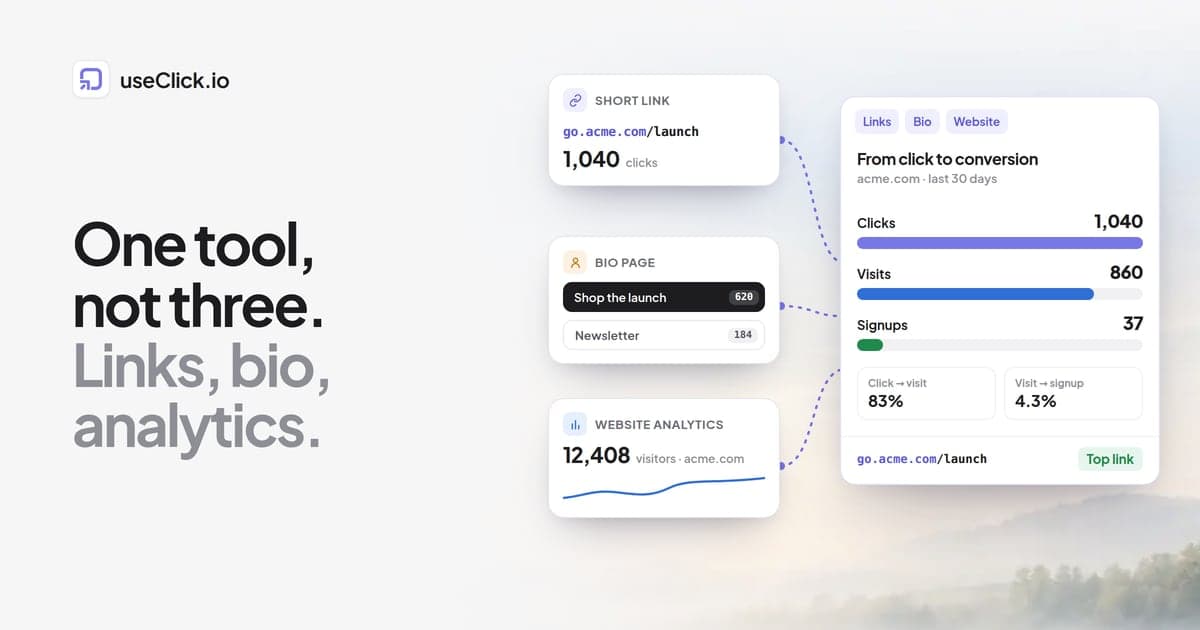
Without tracking, every click, bounce, and lost sale is invisible. You can't tell which links are performing, where conversions are coming from, or which products are actually converting readers into buyers. A link management tool solves that by pairing every link with analytics.
That means being able to see which links generate the most clicks and conversions, adjust placement or destination for underperforming campaigns, segment traffic by country, device, or referral source, and A/B test different destinations to find what actually converts. Without that visibility, even strong affiliate content can quietly underperform for months before anyone notices.
Why geo-targeting matters for Amazon links
Localization is one of the biggest blind spots in affiliate marketing. A visitor from one country following a link built for another country's Amazon store often lands on a page that's unavailable or in the wrong language.
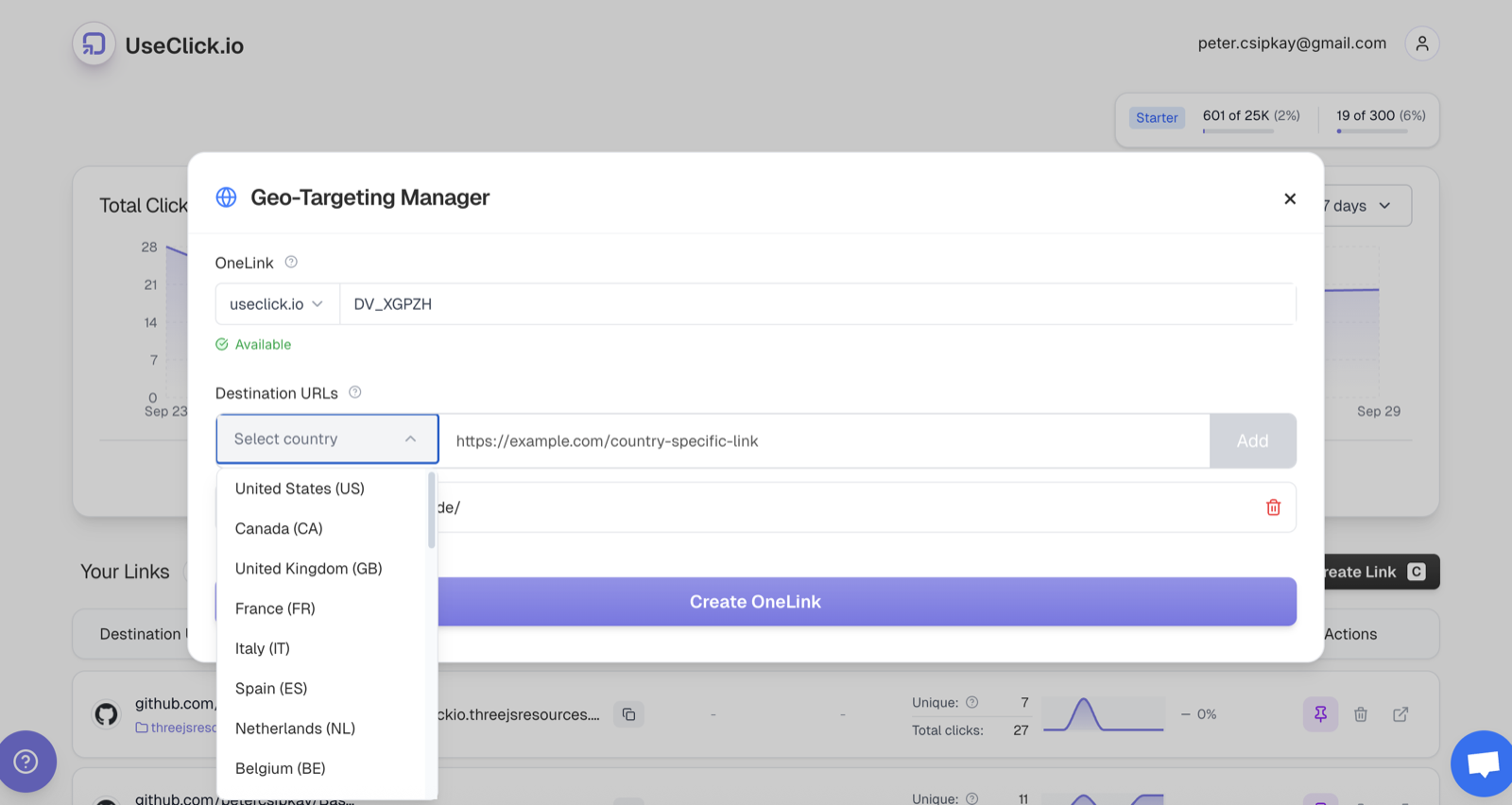
A German visitor who clicks a U.S. Amazon link and finds the product unavailable simply leaves. The same visitor, redirected automatically to Amazon.de where the product exists, completes the purchase. That's the entire case for geo-targeting: it's not a nice-to-have, it's the difference between a sale and a bounce. Geniuslink offers this, at a cost. useclick.io provides automatic redirection by location, support for multiple Amazon regions and alternative merchants, and mobile deep linking straight into apps.
Amazon OneLink: strengths and limitations
Amazon OneLink is free, connects your Amazon Associate accounts across regions, and handles basic link localization automatically.
Its limits show up quickly, though. Product matching is inconsistent and redirects sometimes fail outright. It only works with Amazon, so there's no way to route to alternative merchants. And analytics are minimal: no real insight into clicks, conversions, or which links are actually performing. OneLink is a reasonable starting point, but it doesn't scale into a serious affiliate tracking setup.
Geniuslink: strengths and limitations
Geniuslink is built for affiliates who want advanced analytics, smart links, and multi-merchant support. It tracks clicks, conversions, and audience segments in detail, supports mobile deep linking, and redirects based on both location and device across merchants beyond Amazon.
The cost is real, though: pricing starts around $5/month and climbs from there, which is a real barrier for beginners or low-volume affiliates. Full geo-targeting setup requires managing multiple Amazon accounts, and the interface, while polished, can feel like a lot for someone just getting started.
Comparing the alternatives
| Tool | Features | Pricing | Best for |
|---|---|---|---|
| Amazon OneLink | Basic geo-targeting, free | Free | Beginners starting with Amazon |
| Geniuslink | Smart links, multi-merchant, analytics, mobile deep linking | Paid (~$5/mo+) | Experienced marketers |
| PrettyLinks / ThirstyAffiliates | WordPress link cloaking, tracking | Paid | WordPress users |
| AAWP | Amazon affiliate plugin, product displays | Paid | WordPress users |
| useclick.io | Geo-targeting, multi-merchant, analytics, smart links, no-code setup | Free & Paid | Beginners and pros wanting a Geniuslink alternative |
Where useclick.io fits
useclick.io starts free and scales as traffic grows, works on any platform (not just WordPress), and requires no coding. It redirects users to Amazon or alternative merchants automatically by location, shows clicks, conversions, and link performance in a single dashboard, and supports multiple tracking IDs so you can monitor link health across regions. Branded custom links point users directly into the Amazon app instead of a browser tab.
Setting up useclick.io for Amazon affiliate links
- Sign up for Amazon Associate accounts in each region you target.
- Collect the regional tracking ID for each account.
- Add those IDs to your useclick.io account settings.
- Enable geo-link targeting so users are redirected automatically by location.
- Add branded links with a custom, memorable slug.
- Optionally add alternative merchants so a click still converts even outside Amazon.
- Optionally generate a QR code instead of sharing the link directly.
- Test each link to confirm it redirects and tracks correctly before you rely on it.
Once that's set up, your affiliate links become geo-aware and fully trackable without touching code or managing a plugin.
Best practices for affiliate link management
Segment tracking IDs by region, traffic source, or content type so you can tell them apart later. Revisit underperforming links regularly and swap in a better destination or an alternative merchant. Test landing pages and destinations instead of assuming you know what converts. And check clicks, conversions, and revenue trends weekly rather than only at the end of a campaign, so you catch problems while there's still time to fix them.
Frequently asked questions
Do I need multiple Amazon Associate accounts for geo-targeting? Yes, if you want commissions tracked separately by country. useclick.io lets you add multiple tracking IDs in one dashboard.
Is Amazon OneLink enough for beginners? It's a reasonable start, but it lacks analytics, alternative-merchant support, and detailed click tracking.
What's the difference between OneLink and Geniuslink? OneLink is free, simple, and Amazon-only. Geniuslink adds advanced analytics, mobile deep linking, and multi-merchant support, at a cost.
Can I send users to non-Amazon stores with geo-targeting? Yes. useclick.io supports multiple merchants while keeping affiliate tracking intact.
How does useclick.io compare to Geniuslink? It covers the same core geo-targeting and analytics use case at a lower price, with a simpler setup aimed at affiliates who don't need Geniuslink's full feature set.
The bottom line
OneLink is limited, Geniuslink can be expensive, and tracking links by hand wastes time you could spend on content. useclick.io covers smart link management, geo-targeting, multi-merchant support, analytics and click tracking, and affordable pricing in one dashboard.
Try useclick.io's geo-link targeting and see whether it closes the gap OneLink and Geniuslink leave open for your links.